Real-Time Collaboration Made Seamless: Instantly Sync and Update Shared Content Across Teams
Invented by CHAN; Andrew, RINGLEIN; Alexander, TURITZIN; Michael
Working together on digital designs or documents is now easier than ever thanks to online collaboration tools. But behind the scenes, making sure everyone sees updates in real time is a tricky job for computers. A new patent application introduces a clever way to keep shared content smooth and responsive, even when lots of users are making changes at the same time. In this article, we’ll break down the challenges, explain the science, and show how this invention makes teamwork better for everyone.
Background and Market Context
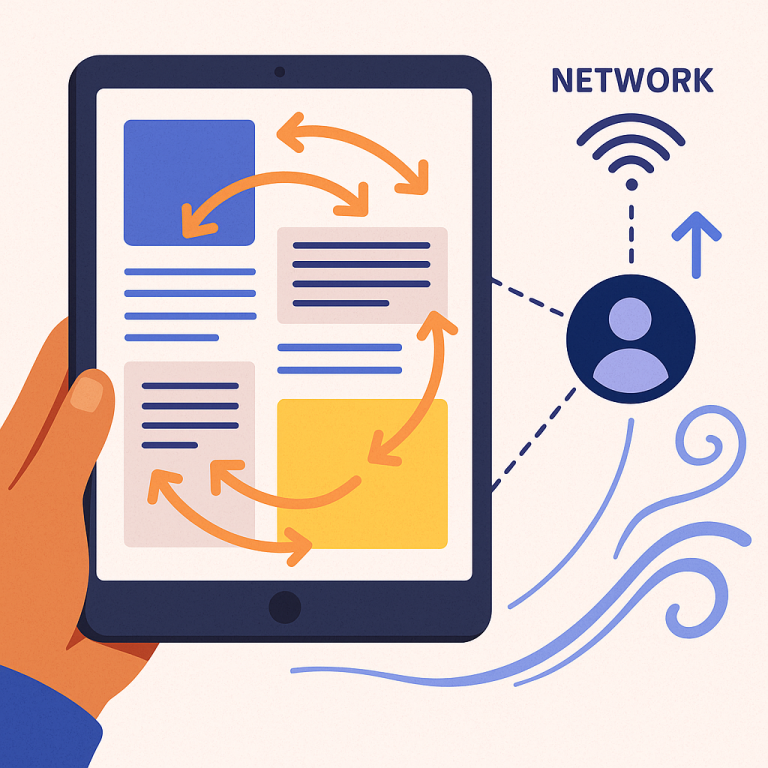
When people work together on computers, they expect everything to happen right away. Whether you’re making a drawing, editing a slideshow, or brainstorming on a whiteboard, you want to see what your teammates are doing as soon as they do it. Tools like online design programs, document editors, and virtual whiteboards have made this possible. But, as the designs or documents become more complex and more people join in, it can get hard for computers to keep up.
Let’s imagine a group of designers working on a big graphic project. One person is zooming in to check small details. Another is adding new shapes. Someone else is moving objects around. Each change must show up for everyone, on different devices, in real time. If the computer can’t handle all these updates quickly, things start to go wrong. The screen might freeze, images might flicker, or changes might appear late. This is frustrating and can make it hard to work well together.
These problems aren’t just annoying—they can slow down work and lead to mistakes. That’s why companies are always looking for better ways to keep their collaboration tools fast and smooth. The goal is to make sure that even when a lot is happening at once, every user sees the right content, right away, without any lag or stutter.
Many teams use web browsers for these online tools, which makes things even trickier. Browsers have limits on how fast they can draw new images (usually about 60 times a second). If the content is too complex or too many changes happen at once, the browser can’t keep up. That’s when users notice problems like freezing or blurry graphics.
The market for collaborative design and editing tools is growing fast. Businesses, schools, and creative teams rely on these platforms to share ideas and get work done. As more people work remotely and expect real-time feedback, the need for high-performance collaboration tools will only increase. This new patent tackles the key technical problems that stand in the way of perfect, real-time teamwork.
Scientific Rationale and Prior Art
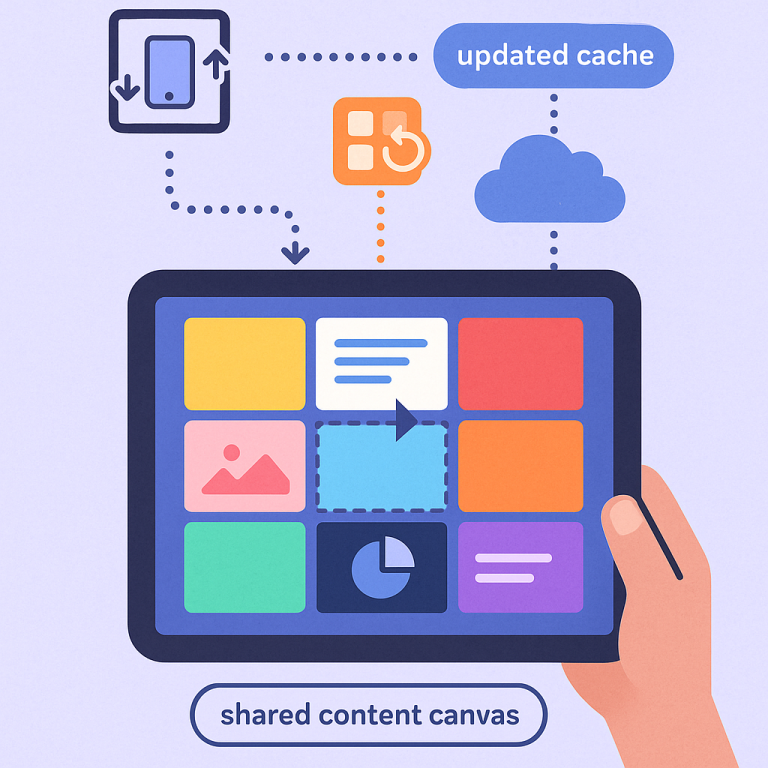
To understand how this new invention works, we first need to look at how these collaboration tools have worked in the past. Most online design or editing apps use something called a “canvas” to show shared content. The canvas is like a big piece of digital paper. When you look at it on your screen, you’re actually seeing just a part of the whole canvas, called the “viewport.”
To make drawing faster, many programs break the canvas into small squares called “tiles.” Each tile holds a piece of the picture or document. When you zoom in or move around, the program only updates the tiles you can see. This makes things much quicker than redrawing the whole canvas every time.
But there’s a catch. If someone else on your team changes something, your computer has to figure out which tiles are affected, redraw them, and show the new version—all without slowing down your own work. If you’re zooming or panning at the same time, things get even harder. The computer has to juggle redrawing tiles for your own navigation and for updates made by others. If it can’t keep up, you see delays or glitches.
Older systems often tried to redraw everything at once, or would pause navigation until updates finished. This led to lag, frozen screens, or jerky movement. Some tried to use caching (saving tiles in memory so they don’t have to be redrawn), but didn’t have a smart way to handle “live” changes. Others tried to guess which tiles would be needed next, but couldn’t always predict user actions or incoming edits from collaborators.
The science behind the challenge comes down to timing. Most screens refresh 60 times per second (every 1/60th of a second). Any update or redraw must finish within that tiny window, or the display will stutter. Complex designs, big files, or lots of changes can easily take longer to process than this frame time. If the computer tries to do too much at once, performance drops.
Some systems tried to “chunk” work into smaller tasks, but didn’t have a way to pause and resume work smoothly between frames. This meant that, if a redraw took too long, everything else had to wait. Newer web technologies (like WebGL and GPU acceleration) help, but don’t solve the problem on their own—especially when many users are making changes at once.
In short, the main scientific challenge is balancing fast updates, smooth navigation, and real-time collaboration, all within the strict timing limits of modern screens and browsers.
Invention Description and Key Innovations
This patent introduces a smarter way to manage updates in collaborative design and editing tools. The invention focuses on three main ideas: using “content tiles” with advanced caching, tracking which tiles need updates when someone else makes a change, and introducing a “time-slicing” process that spreads out complex work across multiple frames.
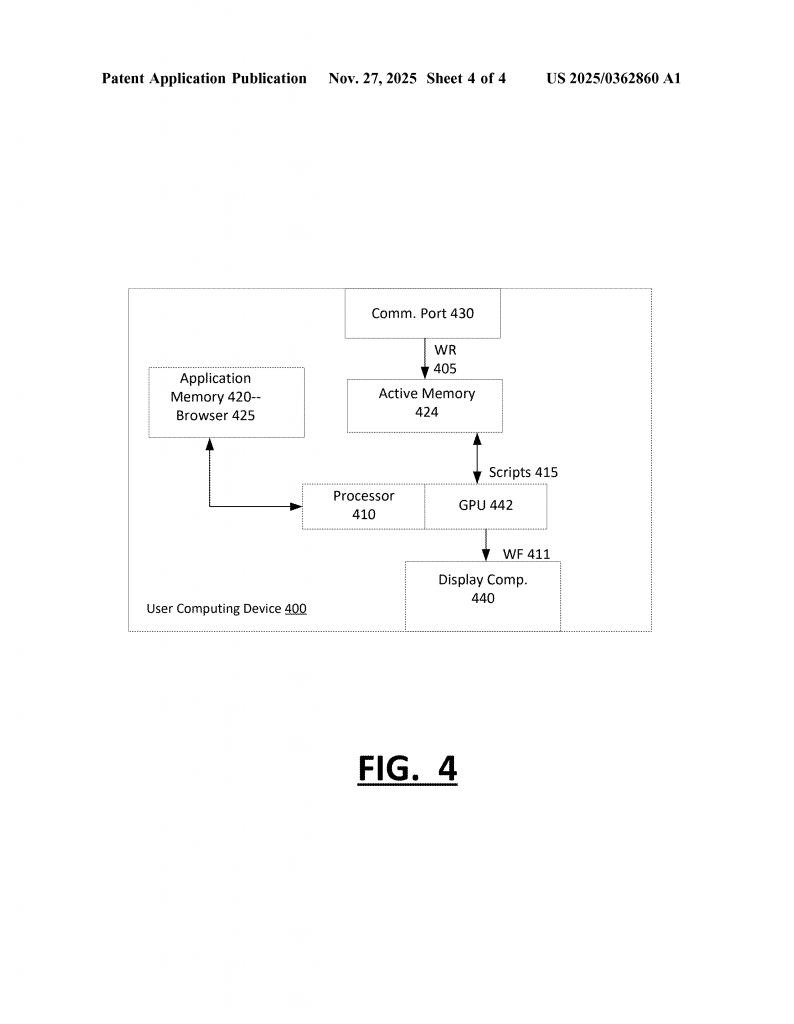
Here’s how it works in simple terms:
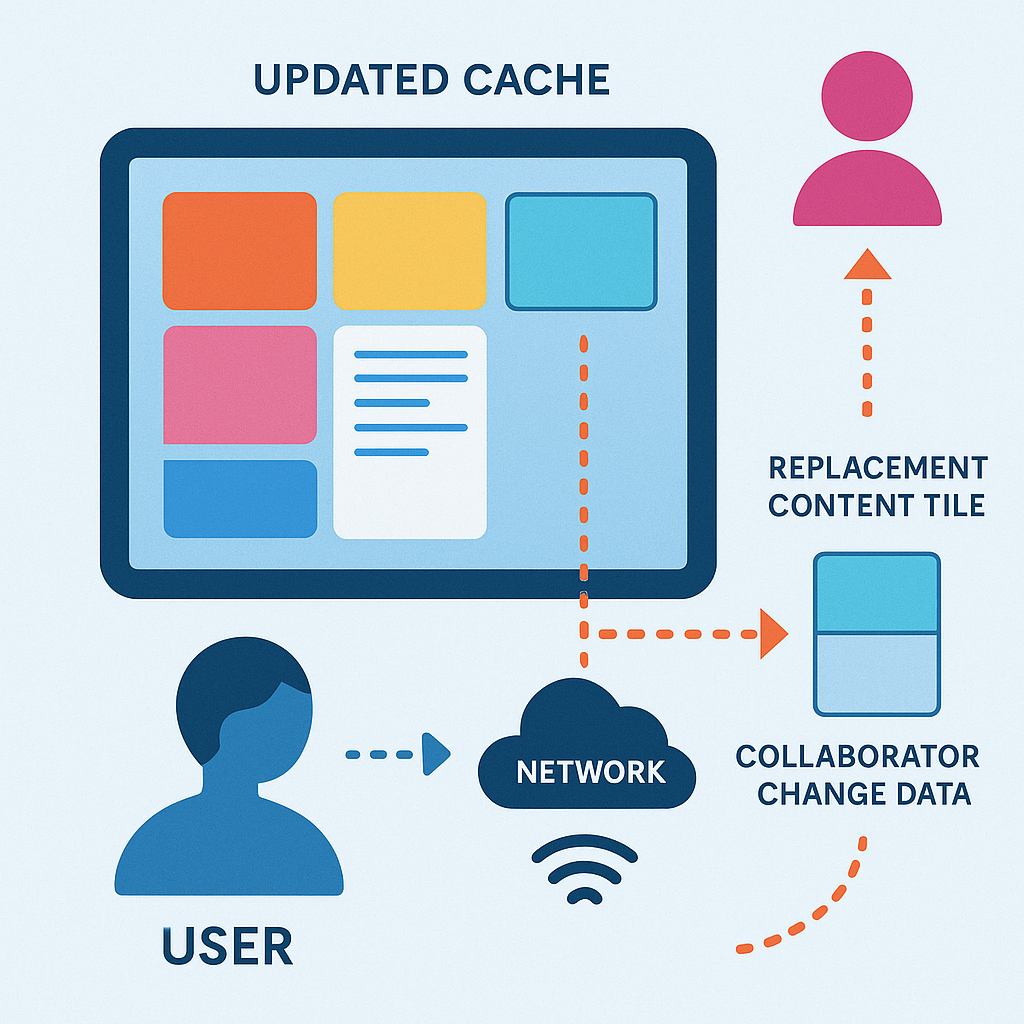
First, each user’s device breaks the shared content into tiles and stores them in a cache (a special part of memory). When you view or move around the canvas, the program quickly copies these tiles to your screen. If you zoom or pan, only the tiles you need are redrawn, making things feel fast.
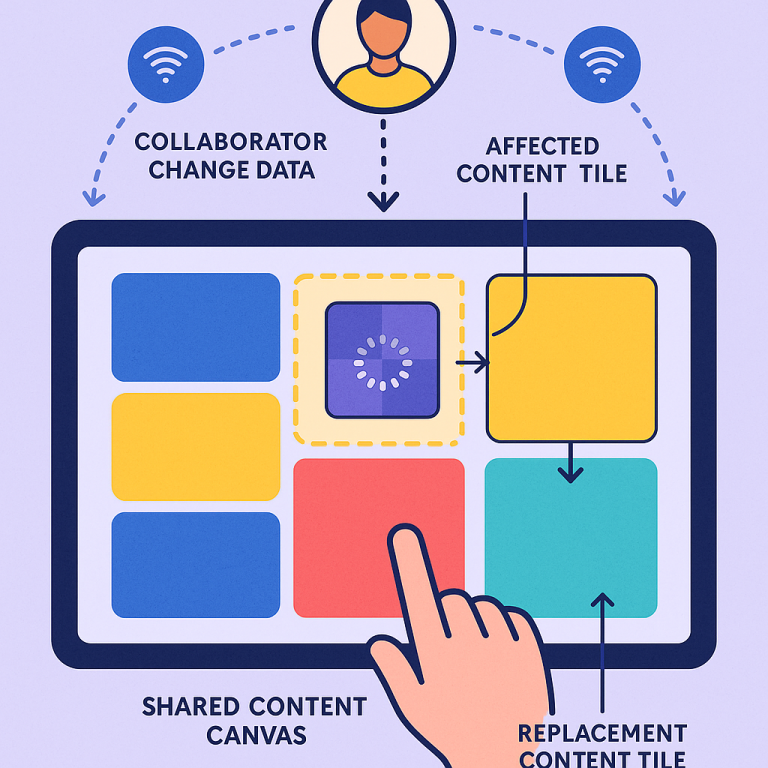
When another user makes a change, your device gets a message describing what changed. Instead of redrawing everything, your device checks which tiles are affected by the update. Only those tiles need to be replaced. This saves time and keeps everything responsive.
But sometimes, redrawing even a few tiles can take too long—especially if the design is complicated. That’s where the time-slicing process comes in. Instead of trying to redraw a tile all at once, the program breaks the work into smaller pieces. It does as much as it can in the time allowed for one frame, then remembers where it left off. On the next frame, it picks up where it stopped and does a bit more. This continues until the tile is finished. By spreading the work out, the system avoids freezing or lagging, even during big updates.
To make this work, the device uses two caches: a main cache for tiles currently on screen, and a second cache for replacement tiles being redrawn. When all the updated tiles are ready, the system swaps them in at once. This way, the user never sees half-finished updates or flickering tiles. Everything appears smooth and seamless.
The invention also handles different zoom levels. When you zoom in or out, the program keeps separate sets of tiles for each magnification. If a change affects a certain area, the system checks all zoom levels and updates the right tiles. This keeps the image sharp whether you’re zoomed in close or looking at the whole canvas.
If you’re navigating quickly—like panning or zooming while someone else is making changes—the system can adjust its priorities. It might pause updating some tiles to keep your navigation smooth, then finish the updates once you’ve stopped moving. This ensures that user actions always feel fast, even when lots of updates are happening in the background.
Another clever part is the “eviction policy” for the cache. Since memory is limited, the system keeps only the tiles you’re likely to need. Tiles that haven’t been used in a while are removed to make space for new ones. This keeps the system efficient without wasting resources.
This method works in regular web browsers, using standard technologies like HTML, JavaScript, and WebGL. It can run on many types of devices—desktops, laptops, tablets, even phones—without needing special hardware or software. The patent also covers how instructions are sent from servers to users, so everyone stays in sync during a collaborative session.
The biggest innovations here are:
1. Breaking up heavy redraw tasks into small chunks and spreading them across frames (time-slicing), so users never experience lag or frozen screens.
2. Smartly tracking which tiles need updates, so only the necessary work is done—saving time and computer power.
3. Managing multiple caches and zoom levels, so users always see crisp, up-to-date images no matter how they navigate or what other users are doing.
4. Allowing smooth, real-time collaboration even when many people are editing at once, all within the limits of standard web browsers and devices.
This approach is a big step forward for online design tools, whiteboards, and any app where people work together on visual content. By keeping everything fast, smooth, and responsive, it helps teams stay focused and creative—no matter how complex their work becomes.
Conclusion
The new patent application presents a simple but powerful solution to one of the biggest challenges in online collaboration: keeping shared content smooth and up-to-date for everyone, even when the work is complex and fast-paced. By combining tile-based caching, smart change tracking, and a time-slicing process that spreads out heavy work, this invention ensures that users see changes in real time without any lag or glitches. It works with standard web technologies and can be used on almost any device, making it a strong choice for the future of collaborative design and editing tools. As teams continue to demand faster, more reliable collaboration platforms, this technology paves the way for better, smoother teamwork online.
Click here https://ppubs.uspto.gov/pubwebapp/ and search 20250362860.