Protect Sensitive Business Data with Keyless Network-Bound Security for Cloud Storage
Invented by Bathula; Kranthi Kumar, Sharma; Somya Rajkumar, Balasubramanian; Suryanarayanan, Sharma; Ankur, Oracle International Corporation
Securing stored data is more vital today than ever before. The patent application discussed here introduces a new, simple way to safeguard data on persistent storage devices, especially for cloud environments. This article will walk through the market needs, compare existing solutions, and finally explain the heart of this invention in easy-to-understand language.
Background and Market Context
The world is storing more data than ever. People and companies use cloud services to keep their files, photos, and business secrets safe. This data is stored in big data centers owned by companies called cloud service providers (CSPs). These data centers have many computers, each with their own storage devices like hard drives, memory cards, or flash drives. The goal is to keep all this data safe from anyone who should not see it.
Customers want to be sure that their private data is protected from hackers and thieves. Cloud companies also want to earn and keep their customers’ trust. If there is any chance that data could be stolen or leaked, customers might leave for a safer service. Because of this, CSPs spend a lot of money and effort to make sure data is safe. They lock up their buildings, use special locks on racks and computers, and even have guards. But, there is still a problem: no matter how many locks you have, someone might still get in or steal hardware.
The need for strong data security is growing even more because of the popularity of cloud services for artificial intelligence (AI), banking, and health care. These all involve very sensitive data. At the same time, cloud data centers are being built in lots of places, some of which may not be fully secure or under the cloud company’s full control. This means the risk of theft or hacking is always present.
But physical security is just one piece. Even more common are digital attacks, where hackers try to break into the computers through the network. If they succeed, they might steal confidential information without ever touching the physical device.
To fight these risks, many companies use encryption. Encryption is like locking data with a special key so only people with the right key can access it. Some systems, such as Linux computers, use LUKS (Linux Unified Key Setup) to encrypt whole disks. In these systems, the data is locked with a secret code (a key), and only users who know the secret can unlock it. This works well—until the secret is stored locally on the same machine as the data. If someone steals both, they can unlock the data.
A newer approach is called “network-bound data security.” In these systems, the secret key needed to unlock the data is not stored on the device. Instead, it is kept on a remote server. The device must connect to the server over the network to get the key each time it needs to unlock the data. This way, if someone steals the device, they cannot get the key unless they can also break into the network or the server.
But even network-bound solutions have problems. Many require the client (the user’s device) and the server (where the secret is stored) to share secret keys with each other. This can lead to leaks or mistakes—if either side is tricked or hacked, secrets might be exposed. Also, many solutions use complicated math (asymmetric encryption) that can be slow and use lots of computer resources.
What is needed is a simple, fast, but strong way for clients and servers to work together to keep data safe—without sharing their secret keys, and without slowing everything down.
Scientific Rationale and Prior Art
Let’s take a closer look at how data security has been handled until now, and why these methods are not perfect.
Historically, data stored on disk was protected using physical security—locked doors, guards, and controlled access. But determined thieves, clever hackers, or just plain accidents can still lead to data being lost or stolen. So, companies started encrypting their data, usually with a “key.” This key is like a secret password. Only people who know the key can access the data.
Many systems use something called symmetric encryption. In symmetric encryption, the same key is used to lock and unlock the data. Tools like LUKS work this way, locking data on a disk with a key known only to authorized users. To make things easier, some systems store the key on the same device (like in the computer’s firmware or a special chip). This is good for convenience but bad for security: if a thief steals the device, they get the key, too.
To solve this, envelope encryption was introduced. Here, your data is locked with a data encryption key (DEK). Then, this key is itself locked with another key (key encryption key, or KEK). This adds more layers of protection. But if the KEK is stored locally, the same problem remains—steal the device, get the key.
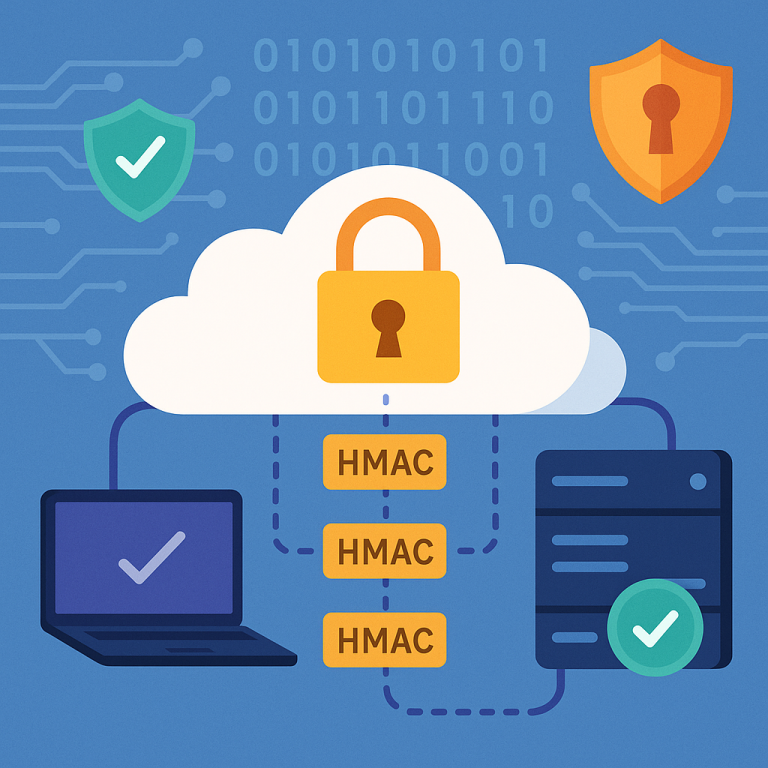
Next came network-bound data security. This method stores the key on a remote server. When the device boots up, it must connect to the server and prove who it is to get the key. This way, if someone steals the device, they can’t get the key unless they also break into the network.
But even network-bound data security has weak spots:
1. Key Exchange: Many systems need to send secret keys or passwords between the client and the server. This is risky. If someone intercepts the message, or if there’s a bug, secrets could leak.
2. Complexity: Some systems use fancy math (asymmetric cryptography, like RSA or ECC), which requires lots of computer power. They need to generate, store, and manage pairs of keys (public and private). This can be slow, expensive, and hard to manage at scale—especially when there are thousands or millions of devices.
3. Scalability and Cost: The fancier the system, the more resources it uses. This means cloud providers have to buy more hardware or spend more on electricity and maintenance. Big, complex systems are also more likely to have hidden bugs or security holes.
4. Trust: If the client has to trust the server with its own secrets, or vice versa, there is always a risk that something goes wrong. The ideal system is one where neither side ever gets the other’s secrets.
Some notable solutions in the prior art include:
– LUKS (Linux Unified Key Setup): Encrypts disks but often depends on local key storage.
– Network-Bound Disk Encryption (NBDE): Uses a remote server to store keys. Examples include Clevis and Tang. While they improve security by keeping keys off the device, they still involve sharing secrets between the server and client or use complex cryptography.
– Envelope Encryption: Adds layers by encrypting keys with other keys, but again often relies on local storage for at least one key, or uses PKI (public key infrastructure), which is hard to scale.
All these approaches try to balance ease of use, speed, and security. But none of them quite solve the problem: how can we make a system where the client and server work together to secure the data, without ever sharing their secret keys, and while keeping things simple and fast?
This is the question the patent application aims to answer.
Invention Description and Key Innovations
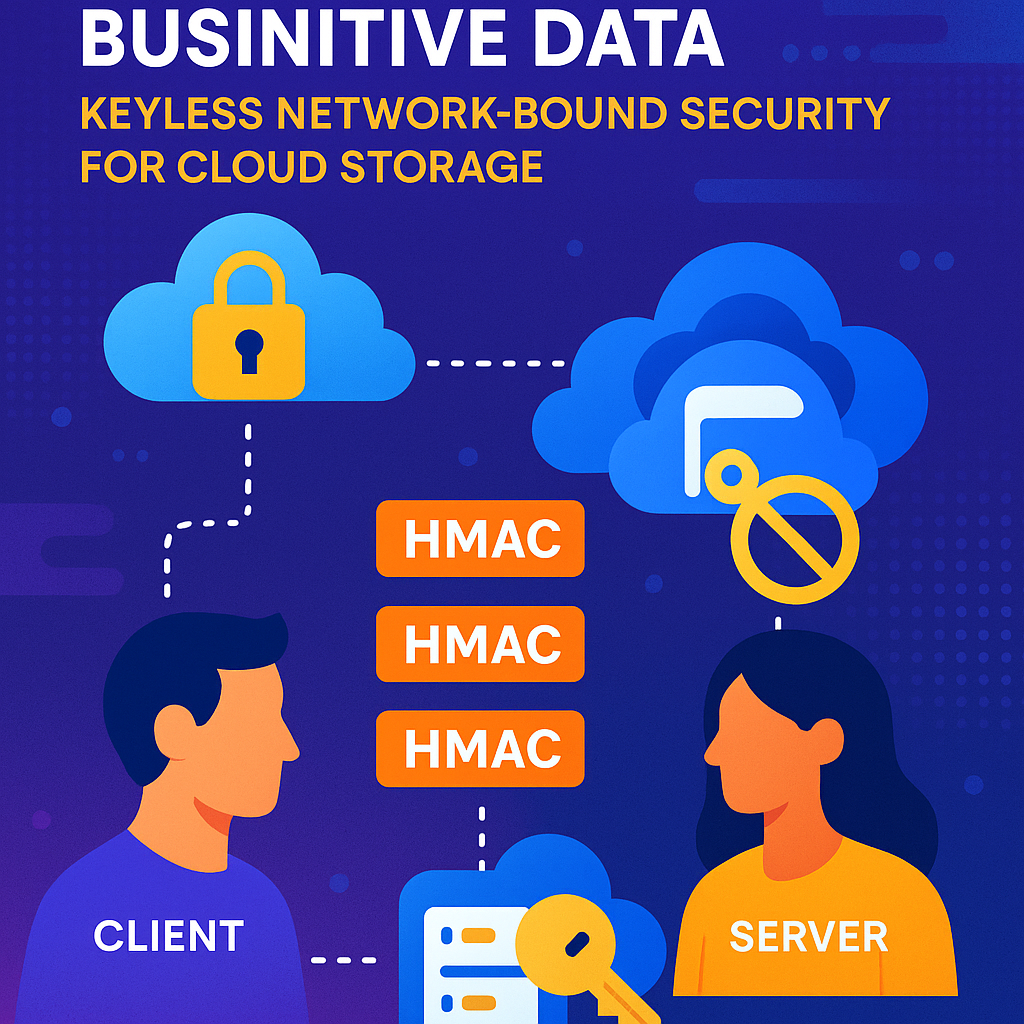
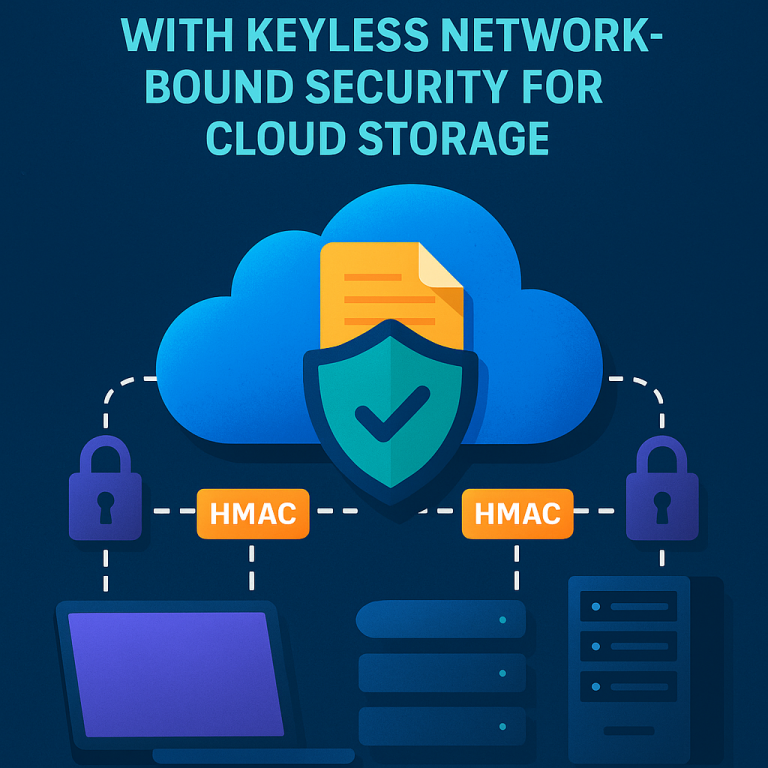
This patent application introduces a new, simple method for network-bound data security. It lets a client (like your computer or server) and a remote server work together to protect data, without needing to share their secret keys. Even better, it uses standard cryptographic tools (HMACs—more on those soon) that are fast and easy to use.
Let’s break down how it works, in simple terms:
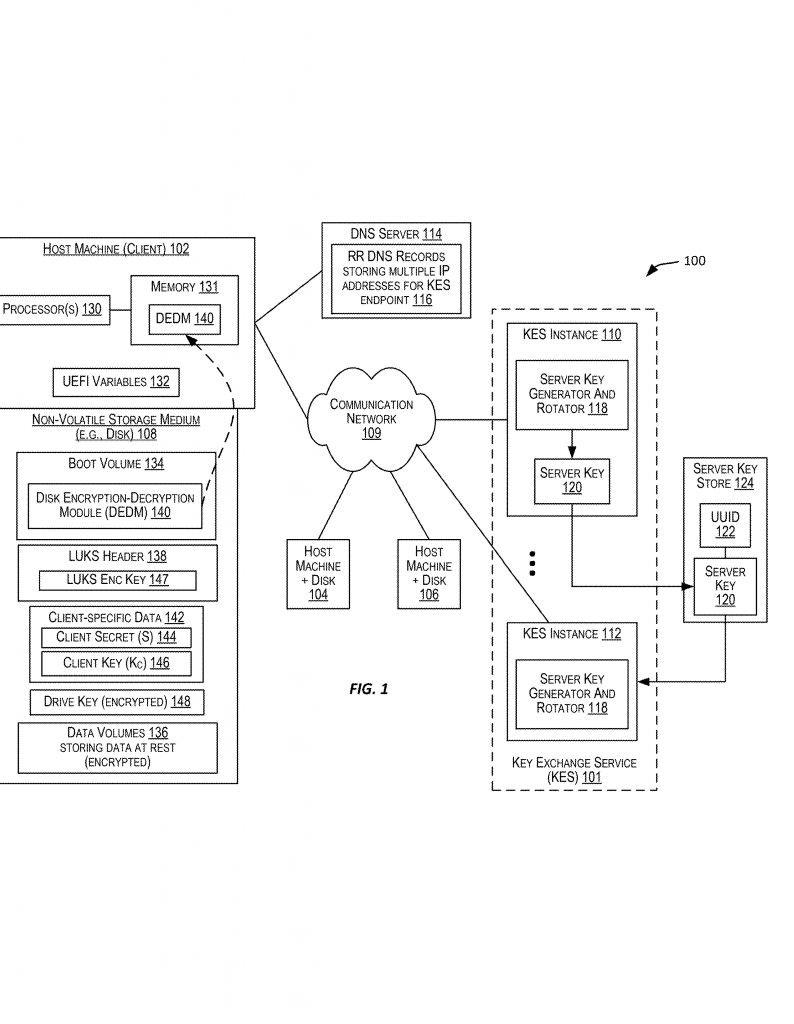
1. Building Blocks:
– Each client has its own secret key and a secret password (think of these as ingredients only the client knows).
– Each server also has its own secret key (only the server knows this).
2. The Storage:
– The client’s data is stored on a drive, flash disk, or similar device. This data is encrypted using a special key (called a security key or drive key).
3. The Goal:
– Protect the data so that even if someone steals the device, they cannot decrypt the data—unless they can also access the server and know the right secrets.
Now, here’s the magic:
Step 1: The Client Makes a Code
The client takes its secret password and secret key, and runs them through a function called HMAC (Hash-based Message Authentication Code). This is like mixing two secret ingredients in a blender to make a secret sauce. The result is a code called macP.
Step 2: The Client Talks to the Server
The client sends this code (macP) to the server. Importantly, it is not sending its actual secrets—just the code made from them.
Step 3: The Server Adds Its Own Secret
The server takes the code it got from the client, adds its own secret key, and runs them through HMAC again. Now we have a new code, macR.
Step 4: The Server Sends Back Its Code
The server sends macR back to the client. The client still never learns the server’s secret key.
Step 5: The Client Makes the Final Code
The client takes macR and its own secret key, and runs them through HMAC one more time. This gives the final code, macK.
Step 6: Locking the Key
The client uses macK to encrypt (lock) the security key that protects its data. Only if someone can repeat this whole process—by knowing the client’s secrets and getting the server’s cooperation—can they unlock the security key and thus the data.
Step 7: Deleting the Codes
After this is done, the client deletes all the codes (macP, macR, macK), so they cannot be stolen.
Unlocking the Data
When the client wants to access its data again (say, after rebooting), it repeats the process:
– It recreates the codes in the same way, using its secrets and the server’s help.
– It uses the final code to decrypt (unlock) the security key.
– Then it can read or write its data.
Key Innovations and Benefits
1. No Secret Sharing: At no point does the client send its secret key or password to the server, and the server never sends its secret key to the client. Even if someone hacks the server or the client, they cannot get all the secrets needed to unlock the data.
2. No Complex Math: The system uses HMACs, which are fast and simple. There is no need for slow, complicated asymmetric cryptography like RSA.
3. Stateless and Scalable: The server does not need to remember anything about each client. It can serve thousands or millions of clients without needing lots of memory or special software.
4. Flexible Storage: The client can protect all its data, or just certain files, folders, or partitions. The system works for disks, drives, memory cards, flash drives, and tapes.
5. Cloud-Ready: The server side can be run as a cloud service, making it easy for modern data centers to use.
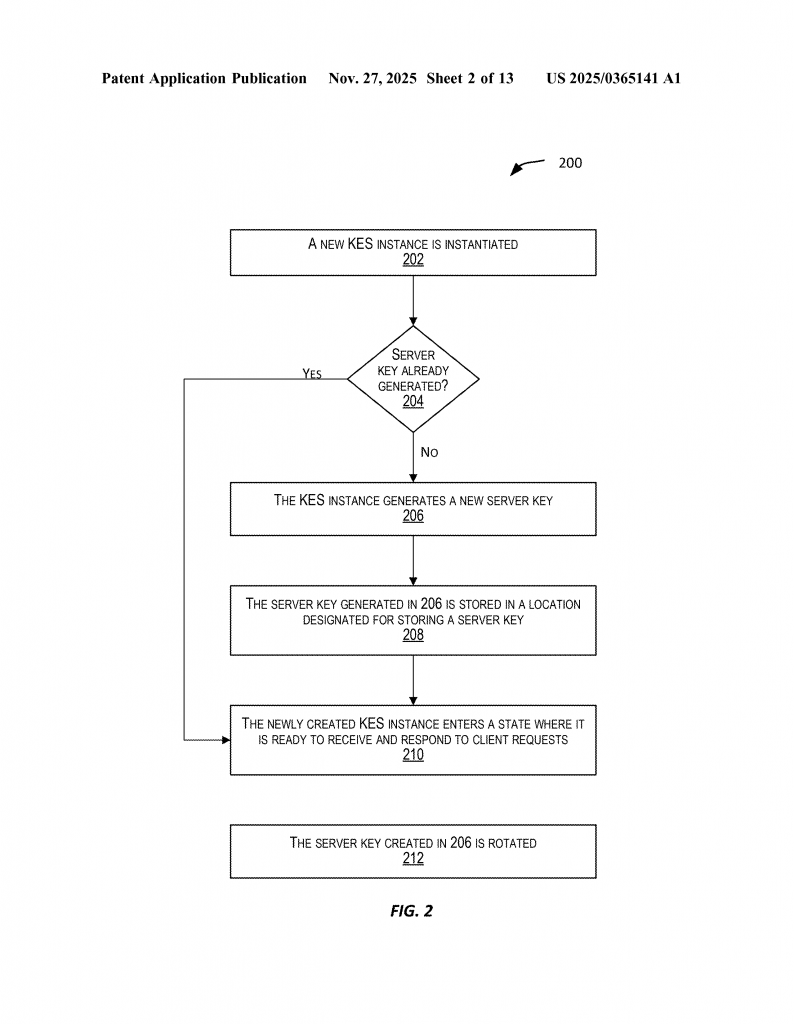
6. Easy Key Rotation: Both the client and server can periodically change their secret keys or passwords. When this happens, the system simply re-runs the process to re-lock the security key with new codes. This keeps things fresh and safe, even if an old key is somehow leaked.
A Quick Example
Suppose you have a laptop (the client) with sensitive files. Your laptop is set up with a secret password and key. The cloud server you trust has its own secret key.
- Your laptop creates macP from its secrets and sends it to the server.
- The server creates macR and sends it back.
- Your laptop creates macK and uses it to encrypt the key that protects your files.
- Only your laptop and the server, working together, can repeat this process to unlock your files. If a thief steals your laptop, they cannot get your files unless they also break into the server and know both secrets—which is nearly impossible.
Extra Security Steps
– If the server’s key is changed (rotated), the client can ask the server to help unlock the old key, and then re-lock it with the new one.
– If the client’s secret is changed, the client can do the same thing.
– All codes are deleted after use, reducing the chance of them being stolen.
Break-Glass Option
In rare emergencies (say, the server is unreachable), the system can be set up with a backup way to unlock the security key, so data is not lost forever. But this is only used in special cases.
Envelope Encryption Support
The system also supports envelope encryption. This means you can use one key to lock the data, and another to lock that key—adding more layers of security, but still using the same safe process.
Simplicity, Security, and Speed
The real strength of this invention is its simplicity. By using only HMACs and never sharing secrets, it keeps the data safe with much less risk than older systems. It is easy to set up, runs fast, and does not cost as much to operate.
It also works with common operating systems and encryption tools, so companies do not need to buy special hardware or software.
Summary of the Claims
The patent application covers:
– The method of generating and exchanging codes (HMACs) between client and server.
– Ways to encrypt and decrypt the security key that protects the data.
– How to do this for different types of storage (drives, partitions, files, directories).
– How to handle key changes (rotation) on both the client and server sides.
– Systems that use this process in cloud data centers, with many clients and servers.
The claims are broad enough to cover many ways of doing this, not just one specific setup. The key is the idea of using HMACs to link the client and server, without ever sharing their actual secrets.
Conclusion
This patent application introduces a new way to secure data stored on devices, especially in cloud environments. By using simple HMAC codes and never exchanging secret keys, it keeps data safe from both digital and physical threats. The system is fast, easy to use, and scales to support thousands or even millions of clients. It avoids the pitfalls of older systems—no complex cryptography, no secret sharing, and no heavy server load.
For cloud providers, this method means lower costs and less risk. For customers, it means peace of mind that their data is safe, even if a device is lost or stolen. This invention is a big step forward in keeping our digital world secure, simple, and reliable.
Click here https://ppubs.uspto.gov/pubwebapp/ and search 20250365141.