AI Platform Transforms Legacy Software by Identifying and Modernizing Vulnerable Code for Businesses
Invented by Adhikari; Ajanta, Dharmadhikari; Amol, Kasturirangan; Sujatha
Modernizing old software is hard. It takes time, it is risky, and it can be very expensive. But, a new patent application describes a smarter way to bring old software into the modern age. This article explains why this matters, how older methods work, and what’s new about this invention. If you work in IT, business, or software, or if you just want to learn about new ways to update software, read on.
Background and Market Context
Many companies still use old software, called legacy software, to run important parts of their business. These programs might be decades old. They help banks keep track of money, hospitals manage records, or stores run their sales systems. But, old software was made for a different time. Computers, networks, and the way we write code have all changed.
Why do companies keep using this old software? The main reason is that it works. Changing it is scary. Updating or replacing legacy software is expensive and risky. If something goes wrong, it could stop a business or even cause big losses. Many businesses also have special needs not met by newer software, or they have spent years building up their old systems.
But, keeping old software has big problems. It can be slow, hard to fix, and may not work well with new systems. It can have security holes. Old code may not run on new computers or cloud systems. Also, finding people who know old programming languages is getting harder.
The market for software modernization is huge. Almost every big company and many smaller ones need to update some part of their software. As more businesses move to the cloud, connect with other systems, or want better security, the need to modernize grows. But, the process is still full of pain points: it takes a long time, it is hard to know where the risks are, and it is tricky to test if the new system works just like the old one.
Because of this, there’s a lot of demand for tools that can make modernization faster, safer, and easier. Companies want to know: how complex is my old software? Where are the biggest risks? Which parts are most out of date? What will break if I change this part? Can I see what my old code does, and will the new code do the same thing? These are hard questions.
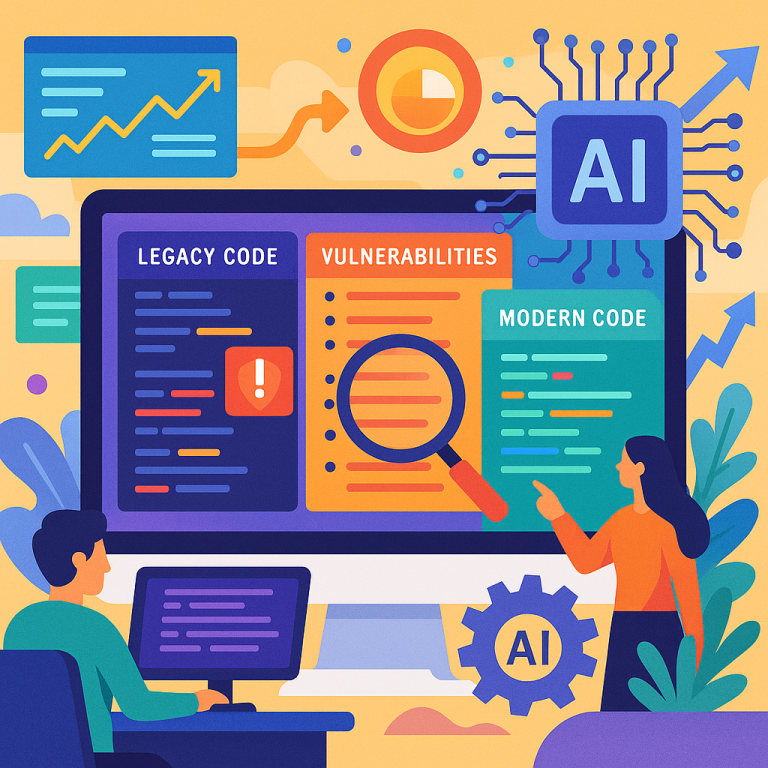
Many tools try to help. They scan code, check for common programming problems, or help move data from one system to another. But most tools only look at one part of the problem. Some check for errors in code. Others help move code to the cloud. Few tools give a full picture—showing the structure, risks, and best ways to modernize, all in one place.
This is where the new patent application comes in. It describes a system that uses agents, machine learning, and special reports to help companies understand their old software, spot risks, and find the best way to modernize. This invention aims to make the whole process simpler, more transparent, and safer.
Scientific Rationale and Prior Art
Let’s take a closer look at how software modernization has been done before, and why it needed to improve. Traditionally, updating old software was a manual process. Experts would read through code, try to understand how it works, and then rewrite parts or all of it for newer platforms. This took a lot of time, and there was always a chance of missing things or making mistakes.
Over time, some tools were created to help. Static code analyzers could scan code files for errors or bad practices. Dependency mappers could show which files called which other files. Some tools could even find security problems by checking for known patterns of unsafe code. But these tools had limits. They usually worked only for certain programming languages. They often could not see the full picture, like how code, databases, and infrastructure all fit together.
Some solutions tried to automate code conversion. For example, tools that take COBOL code and try to produce Java code. But these often failed because old languages have features not found in new ones, or the way the business logic is written is very different. Even if the code “converted,” the new version might not work the same way, or it might be too hard to maintain.
Another common approach was to use code metrics. These are numbers that describe things like how many lines of code there are, how complex a function is, or how many other files a piece of code depends on. These metrics can give clues about where the hardest parts of the modernization will be. But, these numbers alone are not enough. They don’t show you which parts are most risky, or how to fix problems.
Recently, some companies have tried using machine learning to help. Machine learning can look at lots of examples and learn to spot patterns, like which kinds of code changes are most likely to cause problems. But even these systems often focus on just one part of the problem, like code complexity, without tying it all together or showing it in a way that is easy to use.
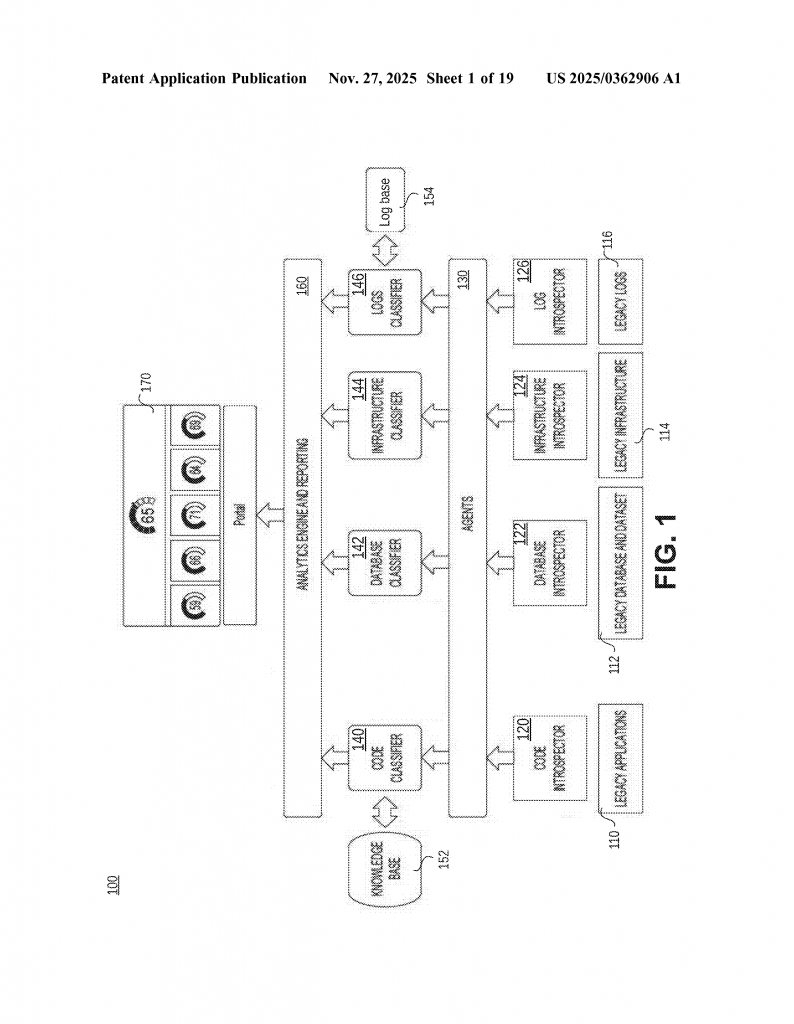
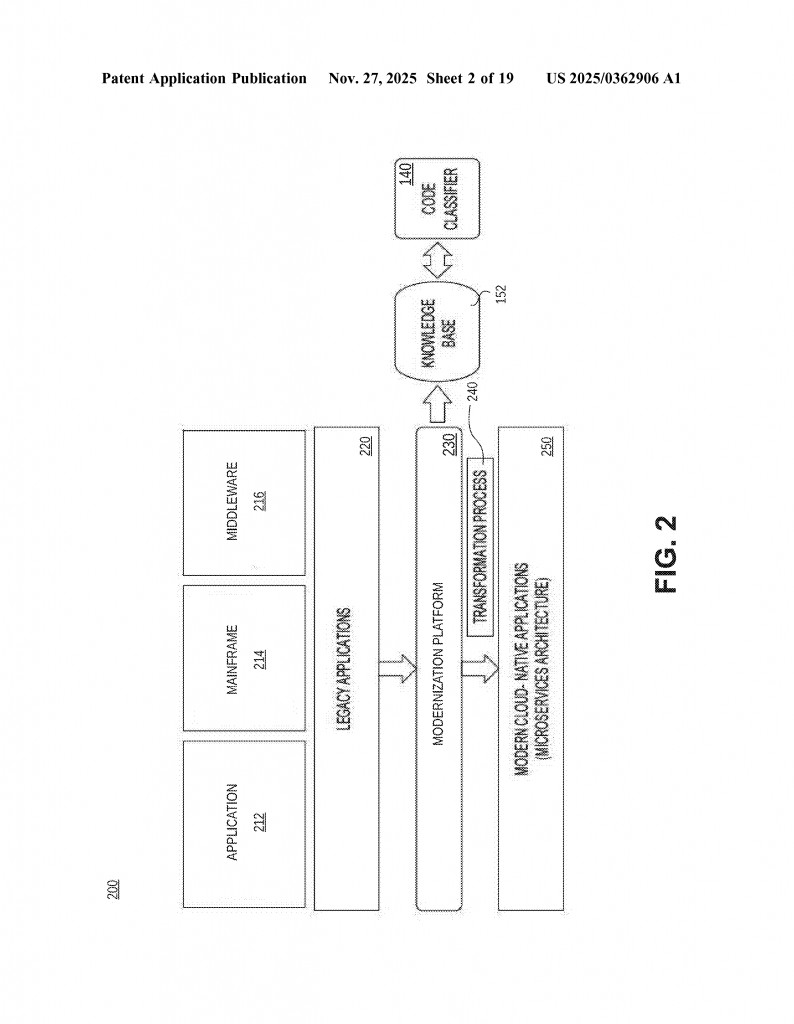
The new patent application builds on all these ideas but goes further. It uses agents to collect detailed information from all parts of the software: code, databases, infrastructure, and logs. It uses machine learning models trained on past modernization projects to score the software on many factors—not just code lines or function calls, but also complexity, dependencies, vulnerabilities, and how easy it would be to move to new systems. It then puts all this information together in clear, interactive reports, so users can see exactly where the biggest risks are, what needs to change, and even get side-by-side views of old and new code with explanations of any differences.
This approach is different because it does not just look at code. It looks at the whole system. It uses knowledge from past projects to make better predictions about what will be hard or risky. It also makes the whole process more interactive, letting users drill down into details, see graphs of dependencies, or even test how the old and new code behave. This is a big step forward from older tools that only looked at one part or gave only simple reports.
Invention Description and Key Innovations
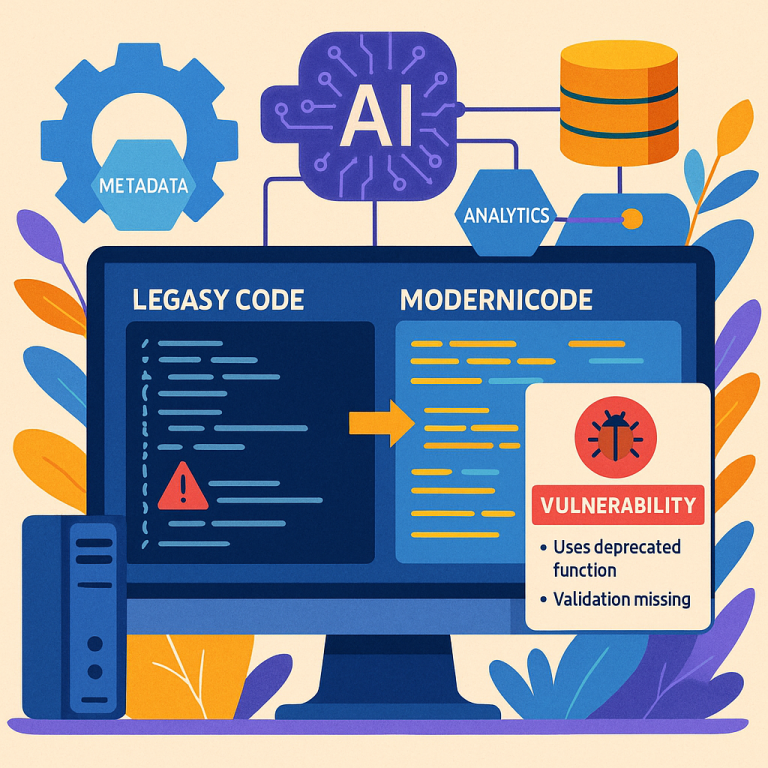
Now let’s dive into what this new invention actually does, in simple words. The core of the system is a set of smart agents that run on the company’s computers. These agents gather information about the legacy software. They do not just look at the code, but also at the databases it uses, the servers it runs on, and the logs it produces. This gives a complete picture.
The code agent, for example, scans all the source files. It notes things like how many lines there are, which languages are used, the size of each file, how many blank lines, comments, and more. For special languages like COBOL or Java, it also picks up details that matter for those languages, like the number of variables, how functions call each other, or which outside libraries are used.
The database agent looks at how the software stores and uses data. Is it using an old mainframe database, or something more modern? Are there special file formats? The infrastructure agent checks out what kind of computers and networks the software depends on. The log agent looks at the messages the software writes while running, which can reveal hidden problems or how the different parts talk to each other.
After collecting all this metadata, the system uses machine learning models to analyze it. These models have been trained on lots of past modernization projects, so they know what risky patterns look like. The models score the software in several key areas:
- Complexity: How hard is the code to understand or change? Are there lots of tangled dependencies? Hard-to-follow logic?
- Dependency: How much does each part rely on other parts, or on outside systems? Are there hidden connections?
- Vulnerability: Are there places where the code could break, or be attacked? Are there logic errors or calculation problems that could cause trouble after modernization?
- Composition: What is the mix of languages and technologies? Are old, unsupported tools used?
- Portability: How easy would it be to move this software to a new platform or the cloud?
For each of these, the system gives a detailed score. It also creates interactive reports and dashboards that let users see the results in different ways. For example, users can view a map of all the files in the system and see how they are connected, which ones are most complex, or which have the most vulnerabilities.
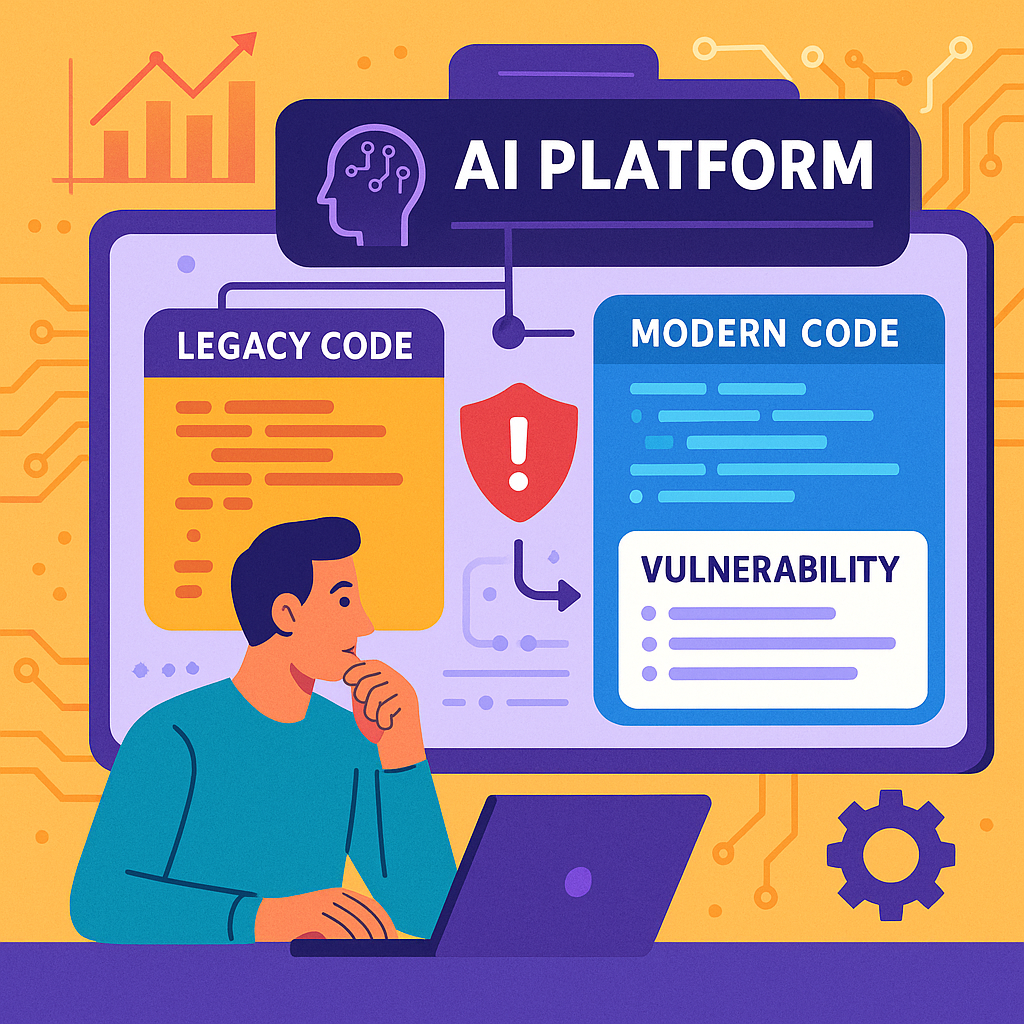
One very clever part is how the system deals with risky code. When it finds a code module (a file or a function) with a high vulnerability score, it can reconstruct a “representational snippet”—a sample of the original code based on the metadata, but without copying any real business data. Then, it uses its knowledge base to create a version of that code in a modern programming language.
It goes further: it shows both the old and the new code side-by-side, along with an explanation of any problems or differences. If you want, you can run both versions and see if they give the same results. If they don’t, the system can suggest changes to the new code to make it behave more like the old code. This helps catch subtle problems, such as when old COBOL code does math a little differently from new Java code, which might cause calculations to “drift” over time.
The system’s reports are not just static pages. They are interactive. Want to know why a score is high? Click and drill down. See a file’s complexity? Click to see its dependencies, variables, or even a diagram of how data flows through it. Want to see which parts of your software have dead code, or which depend on old, risky libraries? It’s all there, with easy-to-understand graphs and charts.
Another strength is the way the system uses feedback. When it analyzes a new project, it adds what it learns back into its knowledge base. This means the more it is used, the smarter it gets. Over time, it can make better and better predictions about where the hardest parts of modernization will be, or which code changes will work best.
For decision-makers, the system provides a single, overall “assessment score.” This score sums up the risk and readiness of the software for modernization. The system explains what goes into the score, so it is not a “black box.” It even gives guidance—projects with a low score can be modernized quickly, while high scores mean more testing, more time, or more training.
The impact of this invention is big. It means companies can finally get a clear, detailed view of their legacy software before they start to modernize. They can spot the riskiest parts, plan their efforts better, and avoid surprises. They can see how the new code will behave, and fix problems before going live. And because the system keeps learning, it gets more useful with every project.
Conclusion
Modernizing old software does not have to be a shot in the dark. With this new patent application, companies can use smart agents and machine learning to get a clear, detailed, and actionable view of their legacy code, databases, and systems. The invention fills big gaps left by older tools, giving teams the power to see risks, map out complexity, and test changes before making them live.
The system’s approach—analyzing every part of the software, scoring it in key areas, and creating interactive, easy-to-use reports—makes modernization safer, faster, and more predictable. By learning from every project, the system gets smarter over time, giving better advice and making each modernization project more likely to succeed.
If you are facing the challenge of updating old software, or if you want to avoid costly surprises and downtime, this invention sets a new standard for software modernization. It is not just a tool; it is a guide, a teacher, and a safety net for every step of the journey from legacy to modern.
Click here https://ppubs.uspto.gov/pubwebapp/ and search 20250362906.