Voice-Activated Search Tool Delivers Fast, Summarized Answers for Mobile and Smart Devices
Invented by Sobolev; Yury, Ho; Johnny, Hu; Kevin, Jalbert; Nick, Modisett; Henry, Srinivas; Aravind, Thota; Nikhil, Yarats; Alexandr, Yarats; Denis
Imagine asking a tiny device on your desk, “What’s the weather in Paris?” and hearing a clear, helpful answer in seconds—no screen, no typing, just your voice and a friendly reply. This is the heart of a new patent application for a compact search client and its augmented search engine. In this article, we’ll break down this innovation, why it matters, and how it works, using simple language and a conversational approach.
Background and Market Context
People want information fast, but the way we search has not changed much in years. Most of us still use our phones or computers to type questions or talk to virtual assistants. These devices are powerful, but they do many things besides search. This sometimes makes them slow, distracting, or awkward to use, especially when your hands are busy or your eyes are occupied.
Think about times when you need answers but can’t touch a screen: driving, cooking, or working in a messy place. Maybe you’re in a workshop with dirty hands, or you want to ask a question while running on a treadmill. Using a phone or computer in these moments is hard, and even smart speakers often feel too bulky or not focused just on searching.
The market is moving towards smaller, smarter devices that do one thing really well. Voice assistants are everywhere, but most live inside larger products. The idea behind this patent is a new kind of search tool: a small, single-purpose device that only handles voice searches. It’s like a pocket-sized librarian—always listening, always ready to give you answers, and nothing else to distract you.
Businesses and developers see growing demand for hands-free, quick-access information. As technology like AI and machine learning gets better, so does our ability to interact with devices using natural speech. The patent’s approach fits right into this trend, offering a dedicated voice search tool that’s easy to set up, simple to use, and designed for many everyday situations where using a phone just isn’t ideal.
This new system is more than just a gadget. It represents a shift in how we interact with the world of information. Instead of adapting our behavior to fit screens, we can now talk to technology in the most natural way—by speaking and listening.
Scientific Rationale and Prior Art
To understand why this patent matters, let’s look at how people have searched the web in the past, and what has changed with new technology.
Traditional search engines like Google or Bing work by taking your text question, finding pages that match, and showing you a list of links. This is great for detailed research but not very helpful if you want a quick summary or if you can’t look at a screen. Some devices add voice features, letting you speak your question, but they often just read web links or web snippets aloud, without making the answer easier to understand.
There have been smart speakers and voice assistants for a while, but most are general-purpose. They play music, control lights, tell jokes—they do a lot, but are not focused on the best search experience. Also, they rarely keep track of your search session. If your question is unclear, they might just say, “Sorry, I don’t understand,” instead of asking you to clarify.
Earlier inventions in the field focused on either improving the search algorithms on the server side or on building better microphones and speakers on the device side. Some tried to improve voice recognition for noisy spaces, while others looked at making conversational agents that could chat more naturally.
But these solutions often missed a key point: combining a single-purpose, user-friendly device with smart AI models that can understand, clarify, and summarize information in real time, all through audio. The missing ingredient was a system that is both simple in hardware and powerful in software—a compact search client that’s easy to use, and a backend engine that can handle the hard work of understanding, searching, and summarizing, all with the help of machine learning.
Machine learning models, like those used for speech-to-text and text-to-speech, have advanced a lot. They can now turn your spoken words into accurate text, even with different accents or background noise, and can read information back to you in a natural-sounding voice. Large Language Models (LLMs), such as GPT and others, can understand context and generate summaries that sound almost human.
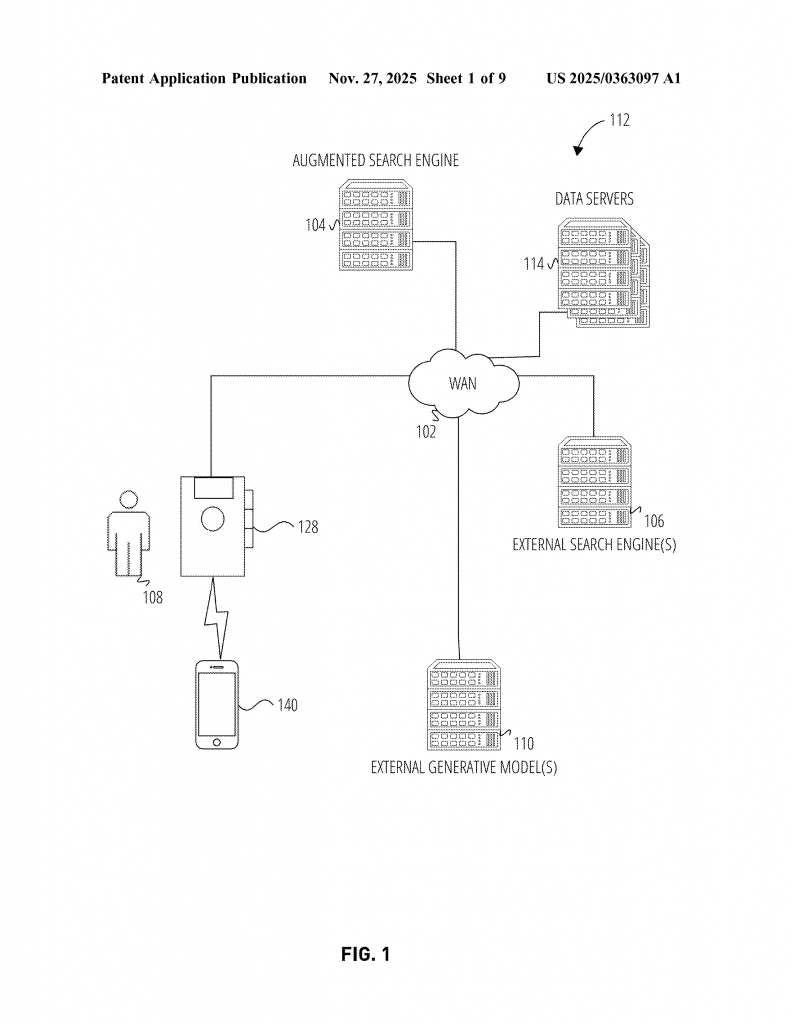
What’s also new here is the use of a “search state database” and a “search state classification model.” In plain terms, this means the system remembers where you are in your search, and can tell if it needs to ask you for more details. If your first question is too vague, instead of giving a bad answer, it will ask, “Can you tell me more?” This back-and-forth makes the search smarter and the results more useful.
So, the scientific leap is in bringing all these tools together: a simple device that sends your question to an AI-powered backend, which listens, understands, asks for details if needed, finds the right answers, and reads them back to you—all without a screen or keyboard. This mix of focused hardware and advanced software is what sets this invention apart from earlier ideas.
Invention Description and Key Innovations
Let’s break down how this new system works, step by step, in a way that’s easy to picture.
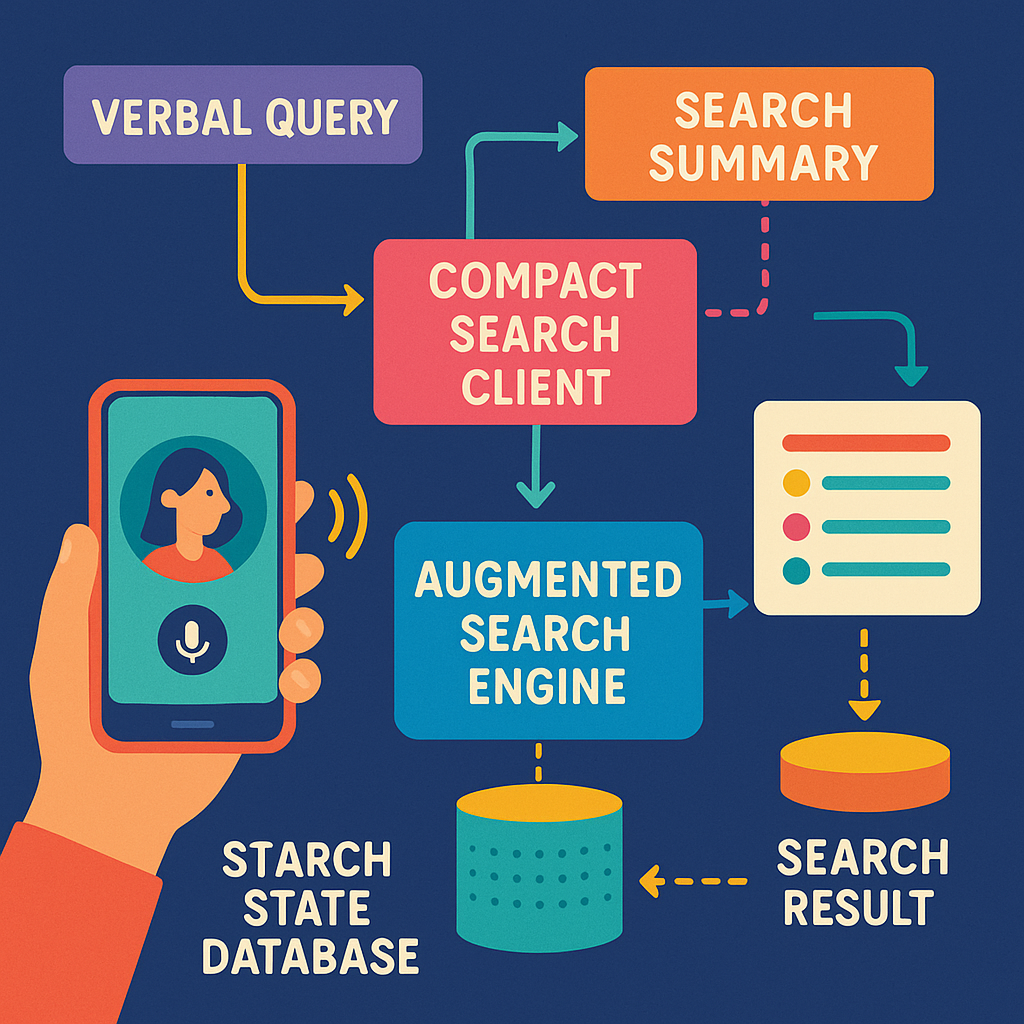
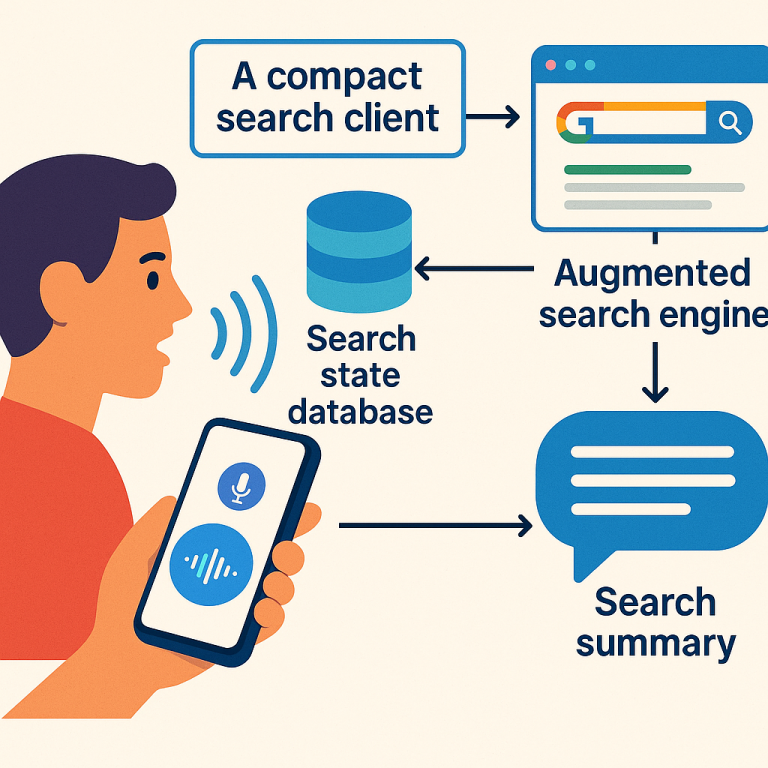
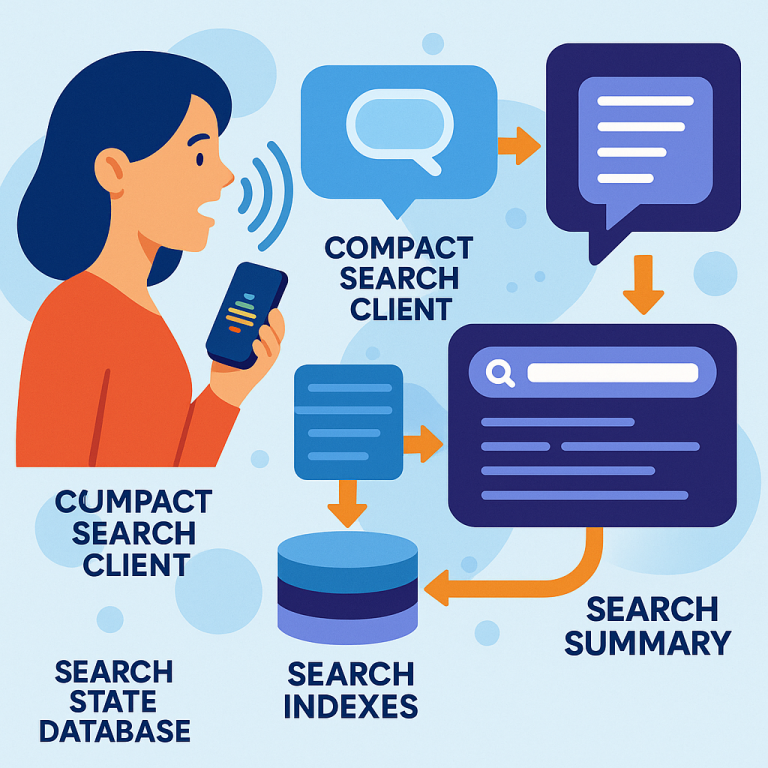
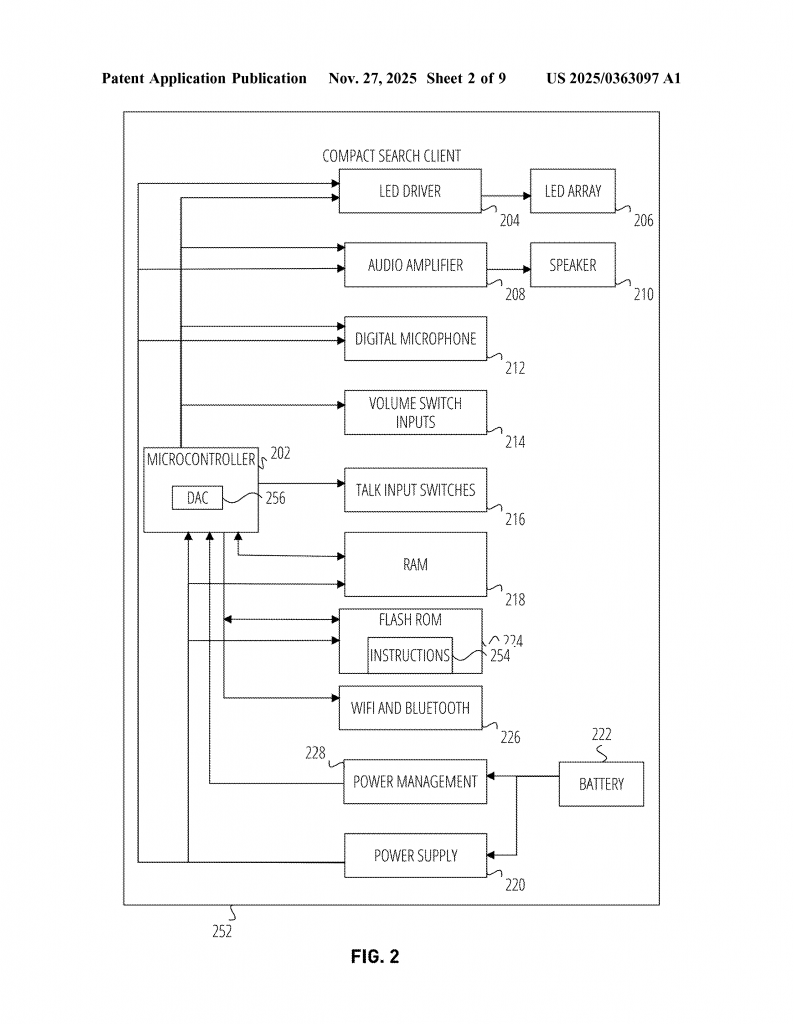
At the center of the system is a small device, the “compact search client.” This is a lightweight gadget with a microphone, a speaker, a few buttons, some lights, and a wireless connection (like Wi-Fi or Bluetooth). You place it on your desk, kitchen counter, or anywhere you want a quick answer. When you have a question, you press a button or speak a wake word, and the device starts listening.
When you ask your question, the device records your voice and sends the audio over the internet to a special server—the “augmented search engine.” This server is where the magic happens. Here’s what it does:
1. Speech-to-Text: The server uses a trained machine learning model to turn your spoken words into text. This model is smart and can handle different voices, accents, and background noise.
2. Query Understanding: The text version of your question is checked by another AI model. If your question isn’t clear enough, the system figures that out. For example, if you ask, “Tell me about Paris,” the system might wonder if you mean the city’s weather, history, or something else.
3. Clarifying Prompts: If more detail is needed, the server uses a Large Language Model to create a simple follow-up question, like “Do you mean Paris, France, or Paris, Texas?” or “Are you looking for travel tips or news headlines?” This follow-up is turned into speech and sent back to your device, which plays it for you. You reply, and the process repeats until your intent is clear.
4. Search and Summarize: Once your question is clear, the server uses a smart search algorithm to find answers. It can look in its own database or ask external search engines. The results are then summarized by another AI model, so you get the key points instead of a long list of links.
5. Text-to-Speech: The summary is turned into natural-sounding speech and sent back to your device, which plays it out loud for you.
The whole process is designed to be smooth and conversational. You can ask follow-ups, and the system keeps track of your session, so it remembers what you were talking about. For example, after asking about the weather in Paris, you might ask, “How about tomorrow?” and the system will know you’re still talking about Paris.
The device itself is simple and robust. It doesn’t need a touchscreen or complicated controls. It can be used in places where a phone or laptop might get wet or dirty. Because it’s focused only on search, it saves battery and is less likely to distract you with notifications or apps.
A key innovation is the “search state database.” This is like a notebook that keeps track of your questions, the system’s prompts, your responses, and the search results found so far. This memory lets the system have a real conversation with you, instead of treating each question as a separate event.
Another big step forward is the use of multiple machine learning models—each trained for a specific purpose. One model listens and turns your voice into text. Another checks if your question is clear or needs more detail. A third makes the follow-up prompts. A fourth finds the best search results. A fifth creates a summary. A sixth turns the summary into speech. All these models work together to make the experience fast and helpful.
The system can be updated and improved over time. As more people use the device and give feedback, the machine learning models can be retrained to get better at understanding new words, accents, or topics. The device can also be customized for different languages, speaking speeds, or even specialized topics (like medical, legal, or technical searches).
Finally, everything is built with privacy and efficiency in mind. The device doesn’t need to store your voice or search history unless you want it to. It sends only the information needed to the server, and the server can use encryption and other tools to keep your data safe.
In summary, the invention is a new way to search for information using only your voice, with a small, easy-to-use device and a powerful backend that can understand, clarify, search, and summarize—giving you quick and helpful answers, no matter where you are or what your hands are doing.
Conclusion
This patent introduces a fresh approach to voice-based search—a compact, dedicated device powered by smart AI models that make searching as easy as talking and listening. It fills a real need for hands-free, eyes-free access to information in everyday life. By blending simple hardware with advanced machine learning, the system overcomes the limitations of past solutions and offers a more natural, interactive, and efficient way to find answers.
For anyone interested in the future of search, this invention marks a big step forward. It shows how technology can get out of the way, letting us interact with information as simply as having a conversation. Whether you’re a developer, a business, or a user who wants a better way to get answers, this is a technology to watch.
Click here https://ppubs.uspto.gov/pubwebapp/ and search 20250363097.