AI Pipeline Billing Made Simple: Automating Provider Selection for Cost-Efficient Enterprise Workflows
Invented by DeWeese; William, Marshall; John, Manton; John, Reagan; Spencer, Stuntebeck; Erich
Billing for artificial intelligence (AI) is a mess. Companies run AI pipelines that use different models, services, and tools from lots of providers. No one knows what they’re really spending until the bill comes. Most businesses can’t even switch providers easily if costs change. This patent application changes that. It introduces a smart, automated way to track, manage, and invoice AI pipeline usage. Let’s break down how this works, why it matters, and what makes it different from what came before.
Background and Market Context
AI is everywhere now. Businesses use AI for everything from answering emails to finding pictures, translating languages, and even checking for fraud. Most of this AI runs in the cloud, using models and services from companies like OpenAI, Microsoft, Google, or Amazon. Sometimes, companies use smaller providers or even their own models.
But there’s a problem. Every time someone runs an AI pipeline—a series of steps using AI models, code, and data—each part may use a different provider. Each provider charges differently. One may bill by the number of words, another by how much computer time you use, and another by how much you store or download. The cost for the same thing can change a lot depending on the time of day, how busy the provider is, or even the kind of data you use.
Most companies set up their AI pipelines once and just let them run. If a provider suddenly gets more expensive or slower, the company keeps paying and waiting. There’s no easy way to switch to a cheaper or faster provider without rewriting the whole pipeline. Even figuring out where the money went or how to save is hard. The bill arrives, but it doesn’t explain where the costs came from or how to do better next time. You can’t easily sort costs by team, by project, or by time. And you can’t just click a button to fix it.
The market needs tools that let companies:
- See how much each piece of their AI pipeline really costs
- Switch providers easily, without rewriting code
- Delay work to cheaper times if they want
- Sort and understand bills by project, team, or time
- Get real savings, not just estimates
This is especially true for big businesses, who have lots of teams, lots of projects, and lots of users. They want to control spending, stay on budget, and make smart decisions. They also want to make sure they don’t break any rules about where data goes or who can access it. But even small companies can benefit.
In short: AI billing is too hard, too slow, and too inflexible. The market is ready for a solution that is automatic, precise, and easy to use.
Scientific Rationale and Prior Art
Let’s look at how billing for cloud-based AI services works today. Each AI provider (like OpenAI or Google) gives you a bill for what you used. Sometimes you get a breakdown by user or by API key, but it’s basic. You can see how many tokens (AI words) or API calls you made, but not much else. If your company uses three different providers, you get three separate bills. If you use open-source models run on your own hardware, you have to track usage yourself.
If you want to change providers (for example, because one gets too expensive), you have to change your code. This is risky, slow, and often requires new security checks or re-training. There are no real “plug and play” options. Even if you could switch, you wouldn’t know if you were saving money until after you made the change.
Some companies try to build their own dashboards. They collect logs, API calls, and costs from each service, then try to match them to projects or users. But this is error-prone, hard to maintain, and rarely works in real time. You can’t easily sort costs by project, by team, or by time. You can’t test “what-if” scenarios to see if you’d save money by waiting to run jobs later.
There are also workflow tools that help manage pipelines (like Apache Airflow or Kubeflow). But these tools don’t focus on billing, switching providers, or optimizing for cost. They help you organize steps, not control spending.
Some platforms offer basic scheduling or cost alerts. For example, you might get a warning if you’re about to go over your spending limit. But you can’t tell the pipeline to “wait until 2 a.m. when it’s cheaper” or “switch to another provider if they’re less expensive today.”
The main technical gaps in prior art are:
- No automatic way to poll multiple providers for real-time pricing, speed, or capacity
- No system to store detailed usage records for each pipeline, user, and provider
- No way to automatically create and send invoices that break down usage by pipeline, provider, team, or time
- No clickable options on invoices to change providers or delay jobs for savings
- No easy way to compare real savings from dynamic provider selection
The scientific logic behind this invention is simple: if you can track every piece of a pipeline, know what each provider charges at every moment, and store all the details, you can automate billing, optimize for savings, and give users control. This requires a system that can:
- Poll providers for transaction info (like price per token, speed, or capacity)
- Store every pipeline run, with user, tenant, provider, time, and resources
- Check when it’s time to invoice (like after a set amount or time)
- Sum up usage by pipeline, provider, and user
- Create invoices with clear breakdowns and options to save
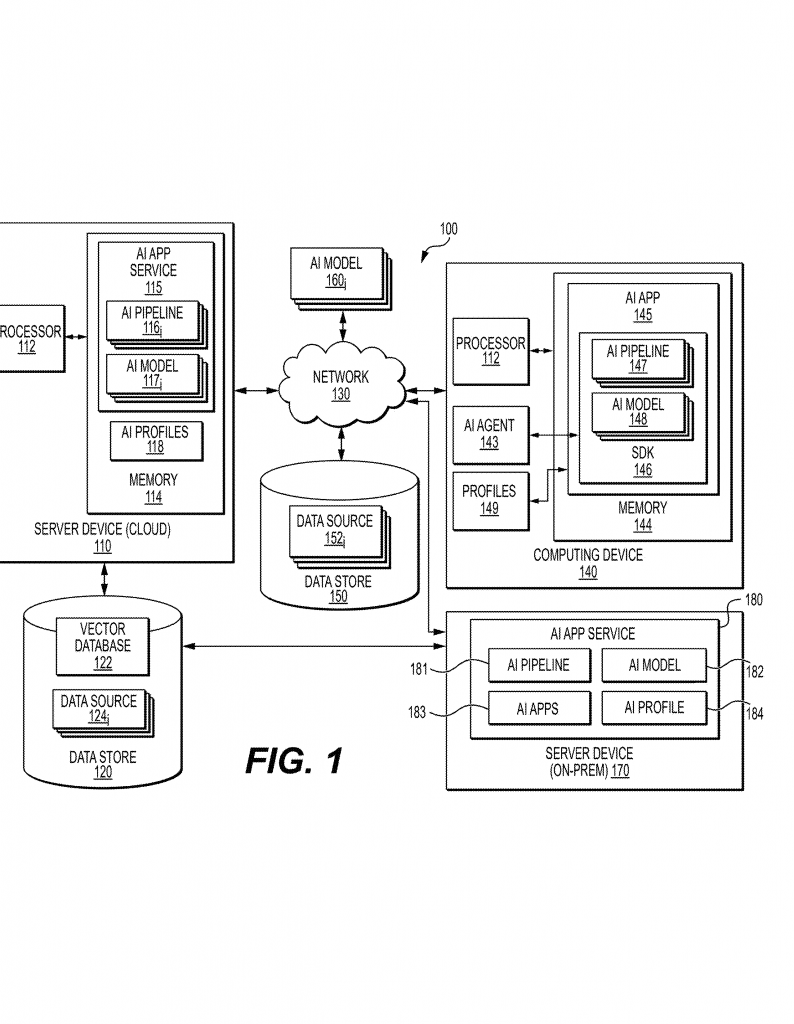
By combining these pieces, companies can finally see, control, and optimize their AI costs in real time, without rewriting code or losing track of spending.
Invention Description and Key Innovations
Now let’s dig into what this patent application claims and how it works.
The invention is a method, system, and computer program for invoicing AI pipeline usage, built around three main ideas:
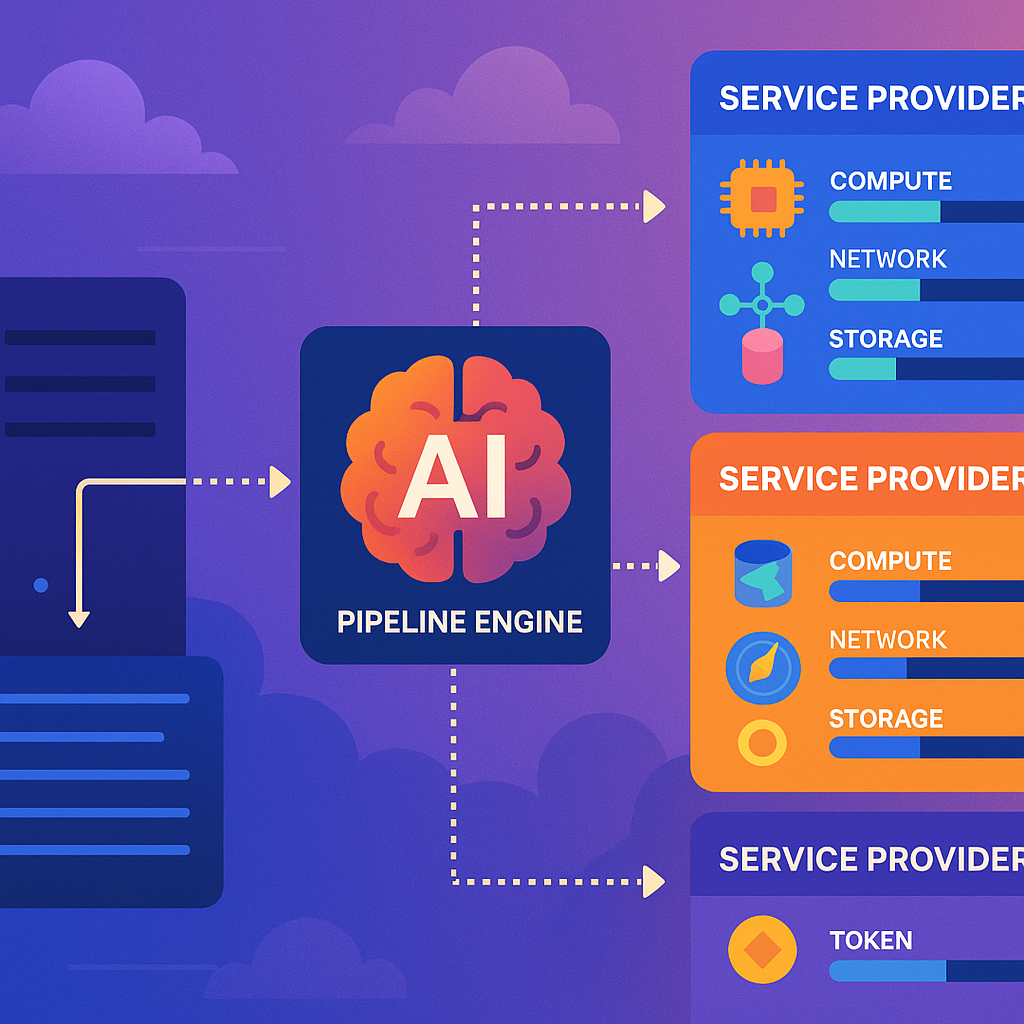
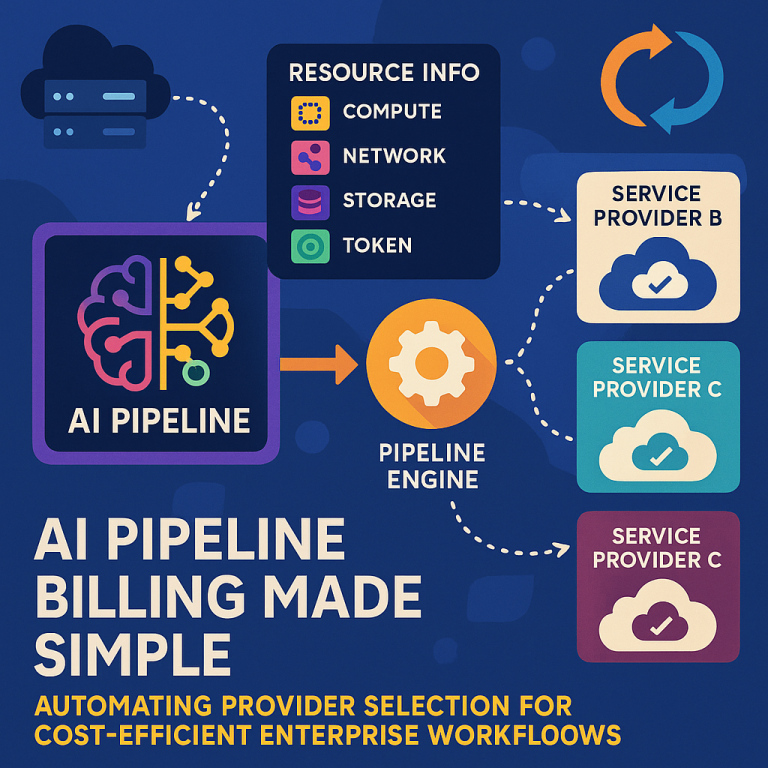
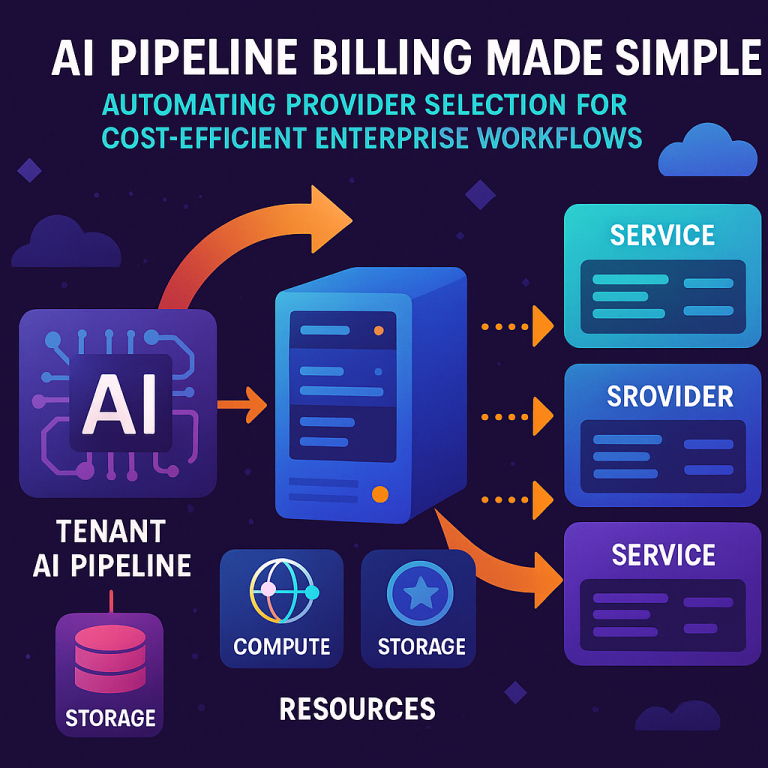
- Polling and Tracking: The system regularly contacts a group of AI service providers. It asks them for up-to-date information about how much they charge, what resources they have, and how the costs change over time. This includes things like compute time, network bandwidth, storage, and “token” costs (the price to run a model). The system stores this information, including the time, provider, and any special details.
- Pipeline Execution and Recording: When a user or a team runs an AI pipeline, the system records everything: which pipeline ran, who ran it, for which tenant (company), which provider did the work, what resources were used, and when. This is stored as a “pipeline execution record.” The system knows which user did the work, which company should be billed, and which provider actually ran the AI.
- Smart Invoicing and Dynamic Controls: When a company hits a certain usage threshold (like tokens used or time spent), the system automatically generates an invoice. This invoice is not just a bill—it’s a dashboard. It shows how much each pipeline used, how much each provider cost, and how usage breaks down by team, project, or time period. Even better, the invoice includes clickable options:
- If the system knows that another provider would be cheaper for a given pipeline, the invoice can show projected savings and let the user switch providers with a click.
- If running the pipeline at a different time of day would save money, the invoice can show this and let the user schedule future jobs for the cheapest window.
- If the company wants to delay work to stay under budget, the system makes it easy.
Let’s see how this plays out in practice.
Step 1: Always Up-To-Date Provider Information
The system regularly asks all approved AI providers for their latest prices, resource limits, and terms of service. It stores this information, noting when it was collected. If a provider changes prices or gets busier, the system sees this right away. If a provider updates its rules (for example, no longer allowing health data), the system knows and can warn users.
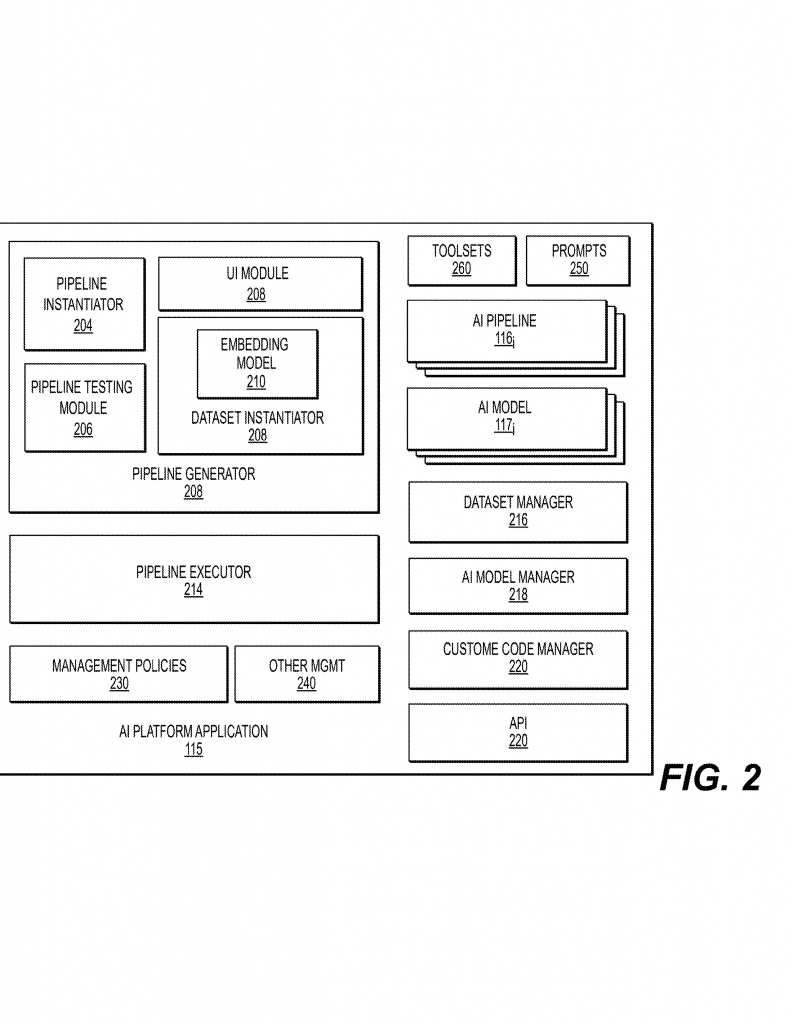
Step 2: Every Pipeline Run Is Logged in Detail
Whenever a user runs an AI pipeline, the system creates a record. This record says:
- Which pipeline ran
- Who ran it (user ID)
- Which company or tenant is responsible
- Which provider(s) did the work
- What resources were used (tokens, compute, storage, etc.)
- When it happened
This is more detailed than most systems today. It means you can always trace costs to the exact pipeline, user, and provider.
Step 3: Automatic, Actionable Invoices
When it’s time to bill a company—either because they pass a usage threshold or a billing period ends—the system generates an invoice. This invoice is not just a boring PDF. It’s interactive. It shows:
- How much each pipeline used, by resource (tokens, compute, etc.)
- How much was spent with each provider
- Breakdowns by user, team, or project (sortable in the dashboard)
- The cheapest times to run jobs, with an option to delay non-urgent work
- Projected savings if the company switches providers, with a button to approve the switch
For example, if the system sees that Provider B is now cheaper than Provider A for a certain pipeline, it can show the exact savings and let the user approve the change. No code needs to be rewritten. The system updates the configuration, and future jobs use the cheaper provider.
If the company wants to run big jobs at night, when prices are lower, the invoice shows the savings and lets them schedule this with a click.
Technical Details That Make This Work
Some of the key technical innovations here are:
- Polling providers for real-time and forecasted prices, resource limits, and terms of service, and storing this in a searchable way
- Logging every pipeline execution, with full details, so costs and usage can always be traced
- Supporting multi-tenant setups (so service providers can serve many companies, each with separate users, pipelines, and billing)
- Interactive invoices that are not just static documents, but give users control over provider selection, scheduling, and cost-sorting
- Automated checks for compliance—if a provider’s rules change, the system can remove them from eligible options and alert users
- Easy expansion to add new providers (including simulation runs to test if results match before switching)
- Support for both synchronous and asynchronous pipeline jobs (so some work can be scheduled when it’s cheapest, not just when requested)
The system is designed to be ready for the future, too. As new AI providers and models come online—or as existing ones change prices or rules—the system keeps everything up to date. It lets companies always pick the best option without headaches.
Real-World Impact for Users
What does all this mean for businesses?
- No more surprise bills. See, sort, and control costs as they happen.
- No more vendor lock-in. Switch providers or time windows with a click, no code changes needed.
- Smart savings. Always use the cheapest (or fastest) provider that fits your needs.
- Full compliance. Avoid breaking provider rules by accident—system warns you if a pipeline would violate terms.
- Better teamwork. Sort bills by project, team, or user. Everyone knows where money goes.
In short, this invention turns AI billing from a guessing game into a smart, automatic, and actionable process. It gives companies real control over their spending and makes it easy to get the most value from every AI dollar.
Conclusion
The world of AI is growing fast, but billing and resource management have not kept up—until now. This patent application presents a full solution for tracking, optimizing, and controlling AI pipeline costs. By bringing together real-time provider polling, detailed usage tracking, and interactive invoicing, it gives businesses the power to manage AI spending with confidence. No more surprises, no more wasted money, and no more hard choices between cost and flexibility. Just simple, actionable control over your AI pipelines, every step of the way.
If you’re building or using AI pipelines, or if you bill customers for AI services, this new approach could save you time, money, and headaches. It’s the next step in making AI work for business, not the other way around.
Click here https://ppubs.uspto.gov/pubwebapp/ and search 20250363533.