Smarter Display Tech Delivers Sharper Images and Efficiency for Next-Gen Consumer Electronics
Invented by LEE; Jong Jin, KIM; Gyu Ho, KIM; Yong Joo, NA; Sang Hyun
Display technology is everywhere. We use it on our phones, tablets, TVs, and even smartwatches. But have you ever noticed that sometimes the bottom part of your screen looks a bit too bright? This article explains a new patent application that solves this problem. We will walk you through why this issue matters, what science is behind it, and how this new invention makes your display look better than ever. Let’s get started!
Background and Market Context
Screens are a big part of our lives. From watching videos to reading messages, they are always in front of us. Companies work hard to make their displays look perfect. But with thinner and more flexible screens becoming popular, new problems can show up. One such problem is uneven brightness—especially at the bottom of the display.
Imagine you are watching a movie on your phone. The picture looks good, but you notice that the bottom edge is glowing brighter than the rest. This is not just annoying; it can make pictures and videos look strange. The reason for this is how modern screens are built. To make devices lighter and more compact, some parts of the screen’s base are trimmed away. This lets other parts of the device, like cameras or sensors, fit inside. But cutting the base changes how power flows to the tiny lights (called pixels) that make up the display.
When the power lines that feed these pixels are crowded into a smaller space, some pixels get more power and shine too brightly. The problem is most noticeable at the lower edge, where the cutouts are. This makes the screen look uneven, with a “hot spot” that catches your eye. For phone and tablet makers, this is a big issue. Users want bright screens, but they also want them to look smooth and even from edge to edge.
The market for display devices is huge and growing. Phones, tablets, smartwatches, and even dashboards in cars all use advanced displays. As companies compete, the demand for perfect image quality becomes stronger. Any noticeable flaw, like uneven brightness, can hurt a brand’s reputation or make customers choose a rival product. That’s why solving this brightness problem is so important. Companies want displays that are flexible, thin, and flawless, no matter where you look on the screen.
This invention was created with these needs in mind. It addresses the problem of too much brightness at the bottom of the screen, especially in devices where the base has been trimmed or shaped to save space. By fixing the way power and data are sent to the pixels, this new technology helps make screens that are not just bright but also balanced and beautiful.
Scientific Rationale and Prior Art
To understand this invention, let’s take a closer look at how a display works and why brightness problems happen. Modern displays, like OLED or LED panels, are made of thousands or millions of pixels. Each pixel is a tiny light that can be turned on or off, or made brighter or dimmer, to show images and colors. Each pixel gets its power from thin lines called power lines. They also get signals from data lines and scan lines that tell them when and how to light up.
In older displays, the base was big enough to spread out these lines evenly. But as screens got thinner and more flexible, companies started cutting away some parts of the base to save space. For example, a phone might have a notch or a spare area where the screen is cut to fit a speaker or camera. When this happens, the power lines have to fit into a smaller area. This makes the power less balanced, especially in the areas near the cutout. The pixels there get more power and shine brighter than the rest.
Researchers and engineers have tried many ways to fix this. Some made the power lines thicker or changed their path, but this makes the screen harder to build and can make it less flexible. Others tried to control the power with extra circuits, but this adds cost and complexity. Some solutions only help a little or only work for certain shapes of screens.
The science behind the problem is simple: when many power lines are squeezed into a small space, the pixels nearby get more energy. This is like turning on too many lights in one room and making it much brighter than the others. Even if you send the same picture data to every pixel, those near the crowded power lines will always look brighter.
The prior art, or earlier inventions, focused on changing the hardware. For example, some patents suggest using extra wires or special transistors to balance the power. Others use software tricks to lower the brightness in certain areas, but they do not always know exactly which pixels need to be fixed. These methods work to some extent, but they are not perfect. They often require changes to the whole screen or make the device thicker and heavier.
This new invention takes a smarter approach. Instead of changing the hardware, it uses clever data processing. By looking at where each pixel is on the screen, the system can adjust the image data before it even reaches the pixel. This means the screen can look even and smooth, even if the power lines are crowded or the base is trimmed. It’s like giving each pixel just the right amount of “juice” it needs to match its neighbors, no matter where it sits on the screen.
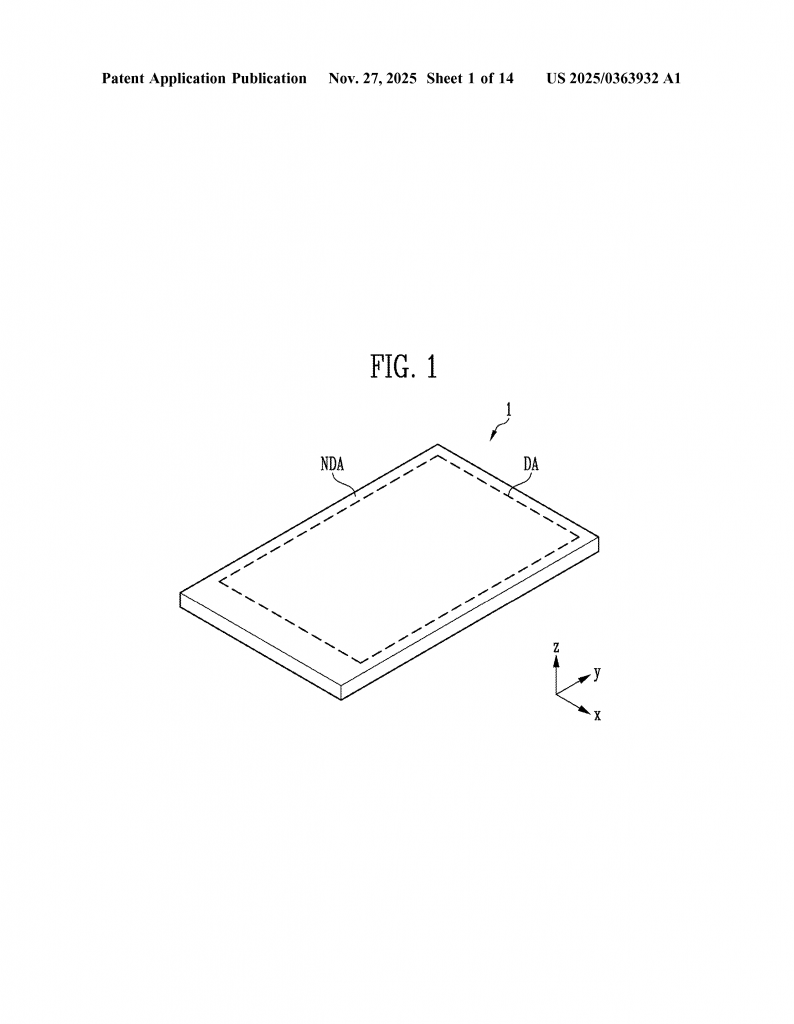
The idea of correcting for uneven brightness is not completely new. But what makes this invention special is how it uses flexible data processing and a lookup table. This means the system can be set up for any shape or size of display, and it can adjust on the fly. If the display is checked during manufacturing and a problem area is found, the system can store special “correction coefficients” for those spots. Later, when the device is in use, these corrections are applied automatically, making the display look perfect.
By moving the correction into the data path—before the image reaches the pixels—this invention offers a simple, low-cost, and flexible way to fix uneven brightness. It does not require new hardware or thicker screens. It can be used in any device, from phones to tablets to watches, and even in bendable or rollable displays.
Invention Description and Key Innovations
Let’s dive into how this invention works and why it’s a game-changer for display technology.
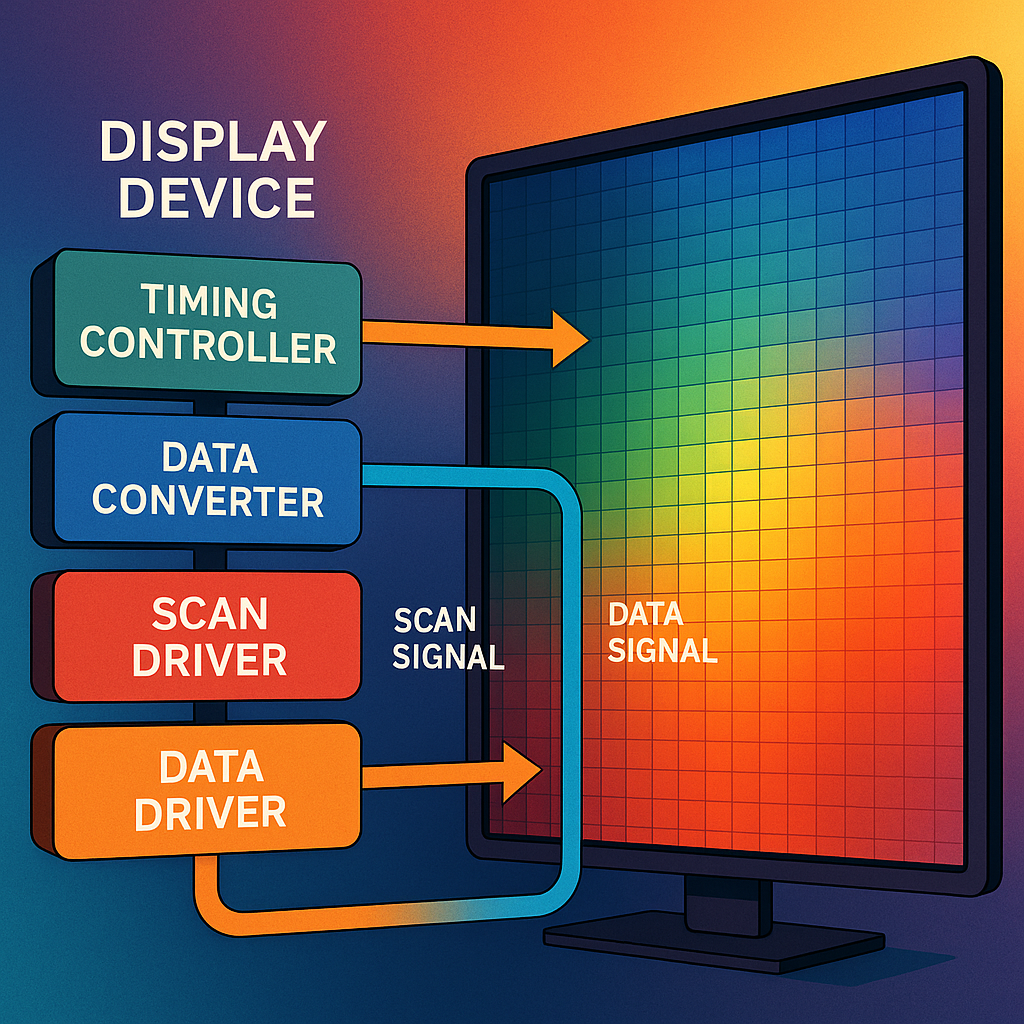
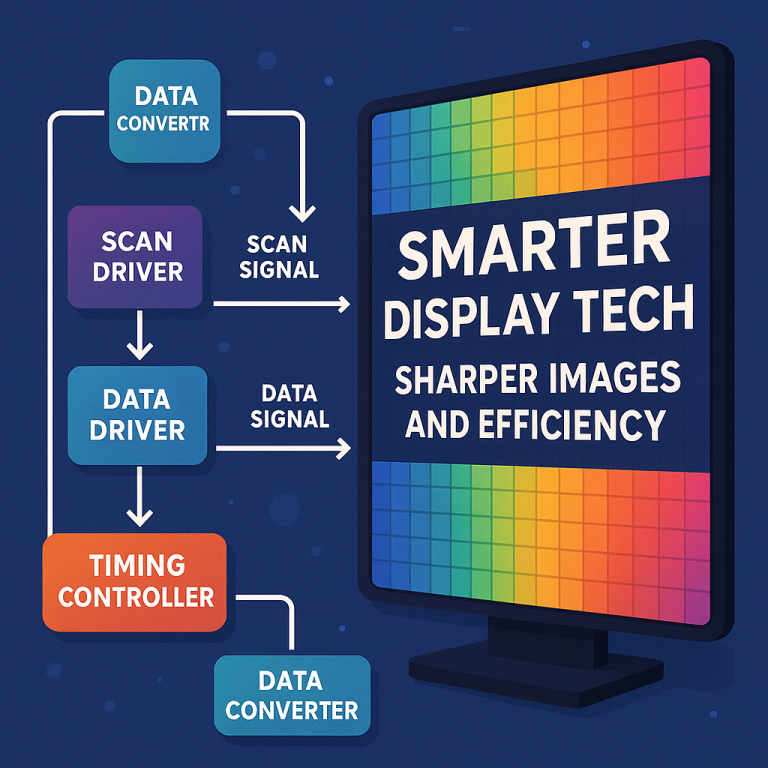
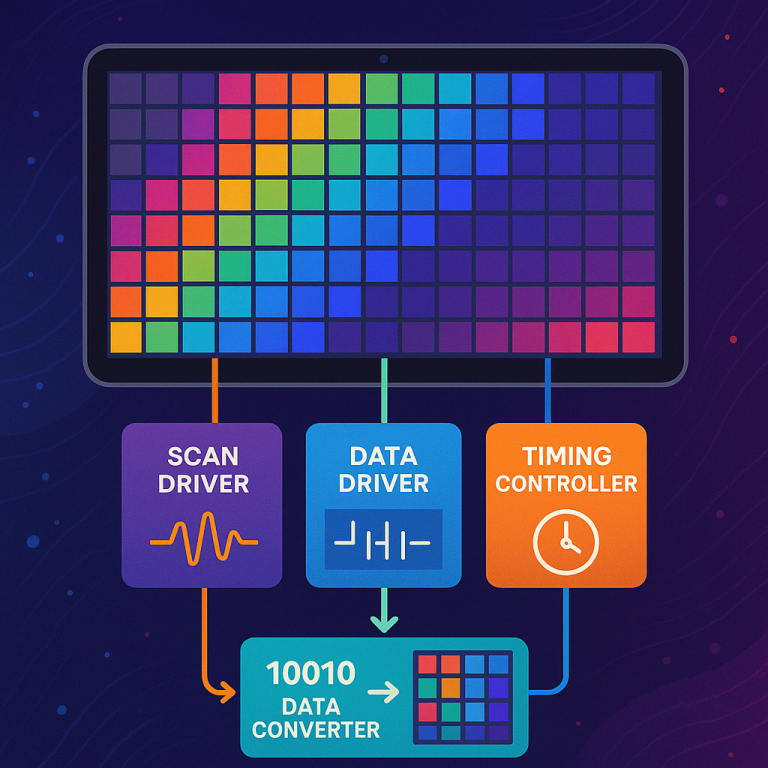
At the heart of this invention is a system that adjusts the image data sent to each pixel, based on where that pixel is on the screen. The system includes a display panel (the screen itself), a scan driver (which tells each row of pixels when to turn on), a data driver (which sends the color and brightness data), a timing controller (which coordinates everything), and most importantly, a data converter.
The data converter is the brain of the operation. It receives the image data, looks at where each pixel sits on the screen, and then adjusts the data for that pixel. This is done using something called a “correction coefficient.” Think of the correction coefficient as a gentle nudge—if a pixel is in a spot that tends to be too bright, the data converter lowers its brightness just enough to match the rest of the screen.
How does the data converter know which pixels need adjusting? It uses a lookup table. This table is like a map that tells the system exactly how much to adjust each pixel, depending on its position. During manufacturing, the display can be tested. If certain spots are too bright, the right correction values are found and stored in the table.
When the device is running, the timing controller sends the image data and the pixel position to the data converter. The data converter checks the lookup table, finds the right correction coefficient, and modifies the image data for that pixel. The result is a new set of image data that will make the screen look even. This adjusted data is then sent to the data driver, which turns it into real signals that light up the pixels.
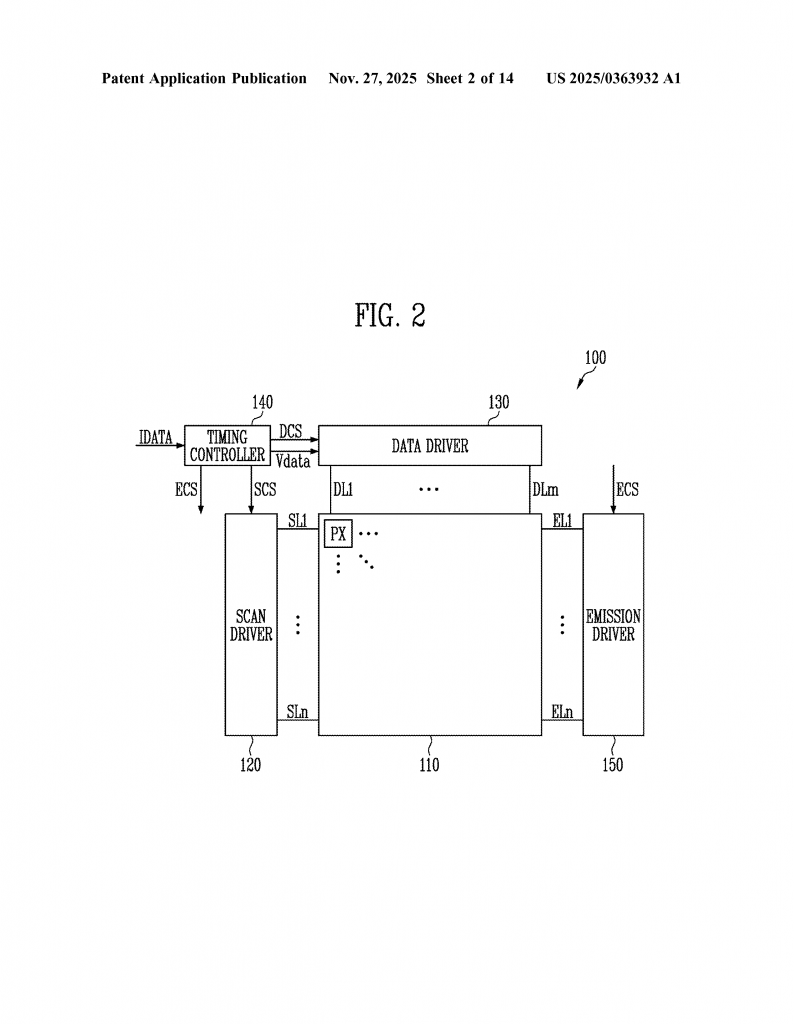
The correction can be done in several ways. The simplest is to multiply the image data by the correction coefficient. For example, if a pixel tends to be 10% too bright, the correction coefficient is 0.9, and the image data is multiplied by 0.9 before being sent to the pixel. In other cases, the system can add or subtract a fixed value, or use more complex math if needed.
One smart feature of this invention is that it can divide the screen into groups or blocks. Instead of storing a correction for every single pixel (which would take up a lot of memory), it can store one correction for a whole group of nearby pixels. This saves space and makes the system run faster, while still giving a smooth and even picture.
The lookup table can be as simple or as detailed as needed. If only a few spots need correction, the table can be small. If the whole screen needs fine-tuning, the table can be bigger. This makes the invention very flexible. It can be used on screens of any shape or size, even those with unusual cutouts or bends.
Another key idea is that the correction can work in both directions—side to side (x-direction) and up and down (y-direction). This means it can fix brightness problems anywhere on the screen, not just at the bottom edge. If a new kind of display is made with a cutout on the side or a rounded corner, this system can handle that too.
The invention also works with both analog and digital image data. After the data is corrected, it can be sent through a digital-to-analog converter if needed. This makes it easy to fit the new system into existing display hardware.
Finally, this invention can be built into many different devices. Whether it’s a smartphone, a tablet, a smartwatch, or even a car dashboard, the same method can be used. The correction system can be placed inside the display’s timing controller, or as a separate chip, or even outside the display as part of the main device’s processor.
The result is a display that always looks even and smooth, no matter how it’s shaped or where its power lines are. Users get a better viewing experience, and manufacturers can keep making thinner, lighter, and more flexible devices without worrying about brightness problems.
In summary, the key innovations are:
1. Adjusting image data for each pixel based on its position, to fix uneven brightness caused by crowded power lines or trimmed bases.
2. Using a flexible lookup table to store correction values, which can be set up during manufacturing and tailored for any screen shape.
3. Dividing the screen into groups or blocks to save memory and simplify processing.
4. Applying corrections in both horizontal and vertical directions, for full coverage of any problem area.
5. Making the system easy to add to any device, without changing the hardware or making the screen thicker.
Conclusion
Bright screens are great, but only if they are even and smooth from edge to edge. As our devices get slimmer and more flexible, new problems like uneven brightness can show up—especially at the bottom of the screen. This new invention offers a simple and powerful way to fix that. By adjusting the image data for each pixel based on its place on the screen, and using smart lookup tables to guide the corrections, manufacturers can make displays that look perfect every time.
This method does not need new or complicated hardware. It works for any kind of display, and it is easy to set up for screens of any size or shape. For people who love bright, clear, and balanced screens, this is great news. And for companies who want to stand out with the best displays, it’s a big step forward.
The next time you look at your phone or tablet, remember: behind that smooth, even glow is a clever bit of technology making sure every pixel is just right. That’s the power of innovation in display technology.
Click here https://ppubs.uspto.gov/pubwebapp/ and search 20250363932.