Boosting Voice Assistant Accuracy with Smarter Wake Word Detection for Consumer Tech
Invented by Aher; Ankur Anil, Robert Jose; Jeffry Copps
Speech recognition devices are everywhere these days. They help us play music, ask questions, or turn on the lights. But how do they know when to listen, and how do they protect our privacy? Let’s break down a new patent application that tries to answer these questions in a simple way.
Background and Market Context
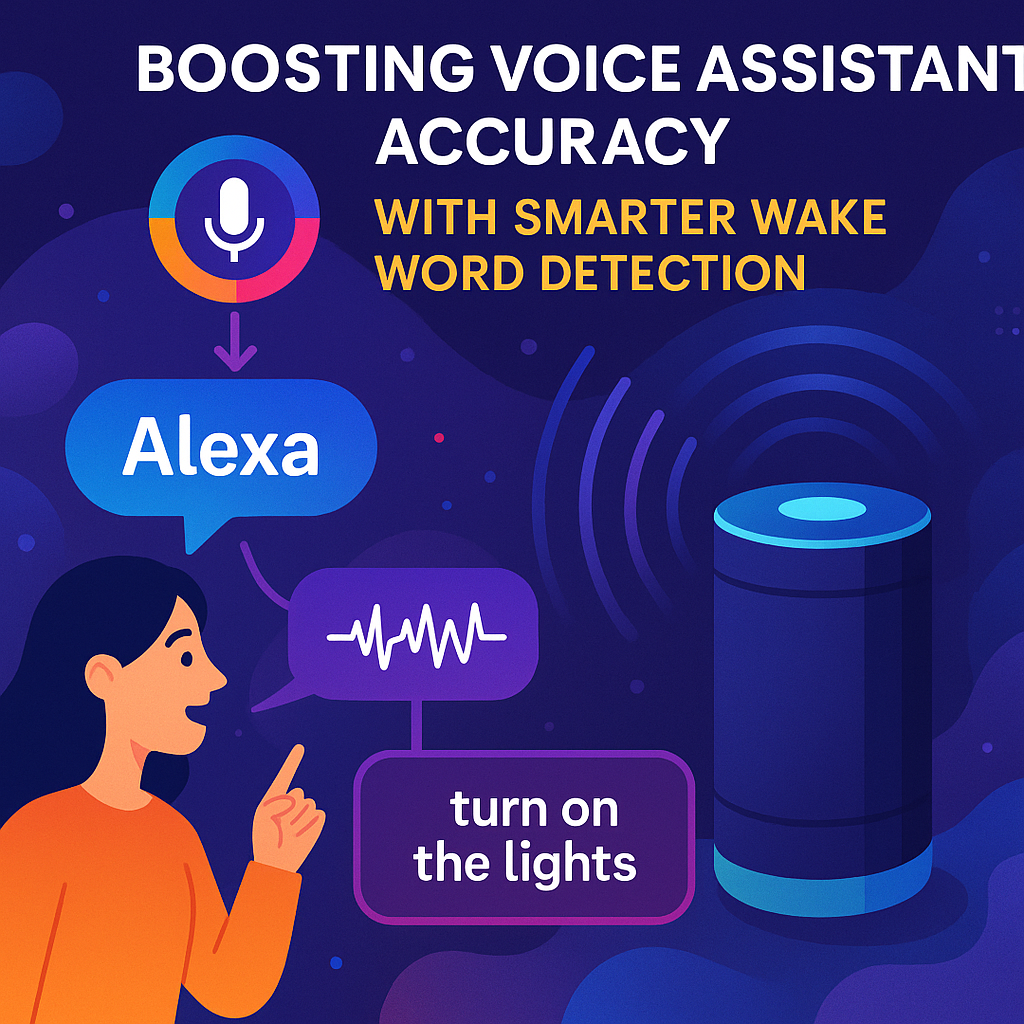
Today, almost every home or office has some kind of smart device that can listen to you and follow your voice commands. These are things like smart speakers, smart TVs, or even your phone. You might know them by names like Alexa, Google Assistant, or Siri. You just say a special word—like “Alexa” or “Hey Google”—followed by your command, and the device acts on it. This special word is called a “signature word.”
These devices are so common now because they make life easier. You can ask about the weather, play your favorite song, or set a timer while cooking. Businesses use them too, for things like helping customers or making work faster. But as more people use these devices, some problems have started to show up.
One big problem is privacy. For these devices to work, they need to listen for your voice all the time. This means they might capture things you don’t want them to hear, even before you say the signature word. Sometimes, these recordings are sent to companies that make the devices. Many people don’t know this is happening. In some places, new laws say companies must ask you before collecting your voice data. If they don’t, they can get into big trouble.
Another problem is how you have to talk to these devices. You need to say the signature word every time you want something. This doesn’t feel natural. Imagine having to say your friend’s name every time you talk to them. It’s strange and can get annoying.
Because of these problems, companies are trying to find better ways to make their devices smarter and safer for users. They want the devices to feel more natural and friendly, and they want to protect your privacy. That’s where this new patent application comes in. It tries to make speech devices work in a way that is easier for you and safer for your privacy.
Scientific Rationale and Prior Art
Let’s dig a bit deeper into how speech recognition devices have worked up until now. The main idea is simple: the device is in a “sleep” or “non-active” mode most of the time. It only wakes up and listens carefully when it hears a signature word. This saves energy and helps with privacy because it shouldn’t record everything you say—just what comes after the signature word.
But in practice, things are not so simple. To catch the signature word, the device does need to keep listening to everything all the time, at least a little bit. Sometimes, these devices accidentally record more than they should. They might pick up private conversations before you say the signature word, and this data can get stored or sent to the cloud without you knowing.
Older systems also have another big rule: the signature word must come before your command. If you say, “Turn on the lights, Alexa,” the device might not hear you correctly. It wants you to say, “Alexa, turn on the lights.” This is not how people talk in real life, and it can be frustrating if you forget the correct order.
Some previous patents and products have tried to fix these problems. For example, some devices try to detect when you are near them by using cameras or motion sensors. They might listen more closely when they see you looking at them. Others try to use more advanced language models to understand your commands, even if you don’t speak in a perfect way. But none of these older solutions really solve both the privacy problem and the “signature word” problem at the same time.
Privacy laws are also changing. New rules in places like California, Europe, and Brazil say companies must get your clear permission before collecting your voice data. Devices need to show you the privacy terms and ask for your consent, or they cannot legally record what you say. This means that the way devices collect and process your voice is under more control than ever.
In summary, the old systems:
– Need you to say a signature word first.
– Often record more than they should.
– Don’t always ask for your permission in a clear way.
– Are not very flexible or natural to use.
Now, let’s see how the new invention tries to do better.
Invention Description and Key Innovations
This new patent application introduces a smarter and more privacy-friendly way for speech recognition devices to work. Let’s look at how it does this, step by step, using very simple terms.
1. Waiting for a Sign of Interest
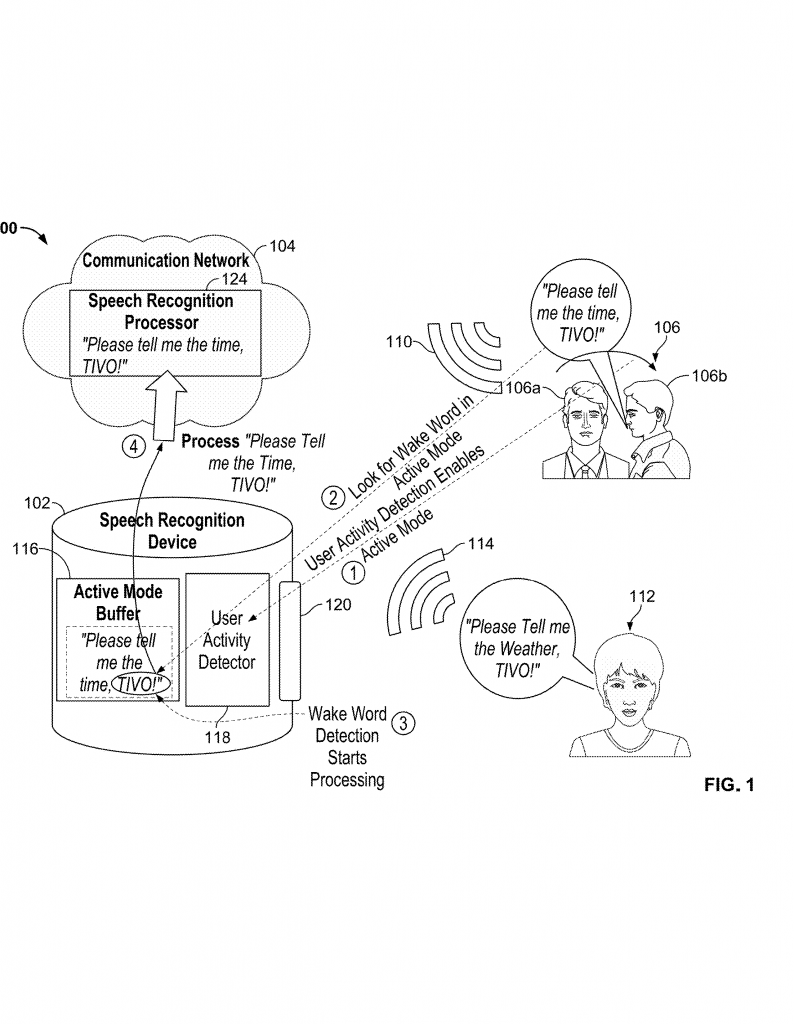
The device starts in a “non-active” mode. It isn’t listening to every word you say. But it is always on the lookout for something that shows you want to talk to it. This could be a sound (like your voice), or a movement (maybe you turn to face the device). When it senses that you are about to say something, it gets ready to listen more closely. This is smart because it saves energy and doesn’t record everything all the time.
2. Asking for Your Permission
Before the device starts recording your voice in a way that could collect private information, it shows you a message. This message tells you the privacy rules for the device. It might pop up on your phone, your TV, or a small screen on the device itself. There’s also a box that you can check to say, “Yes, I agree to these terms.” Only if you check the box does the device start recording your voice for real. This makes sure you are always in control and know what’s happening. If you don’t say yes, the device does not record or send your voice data anywhere.
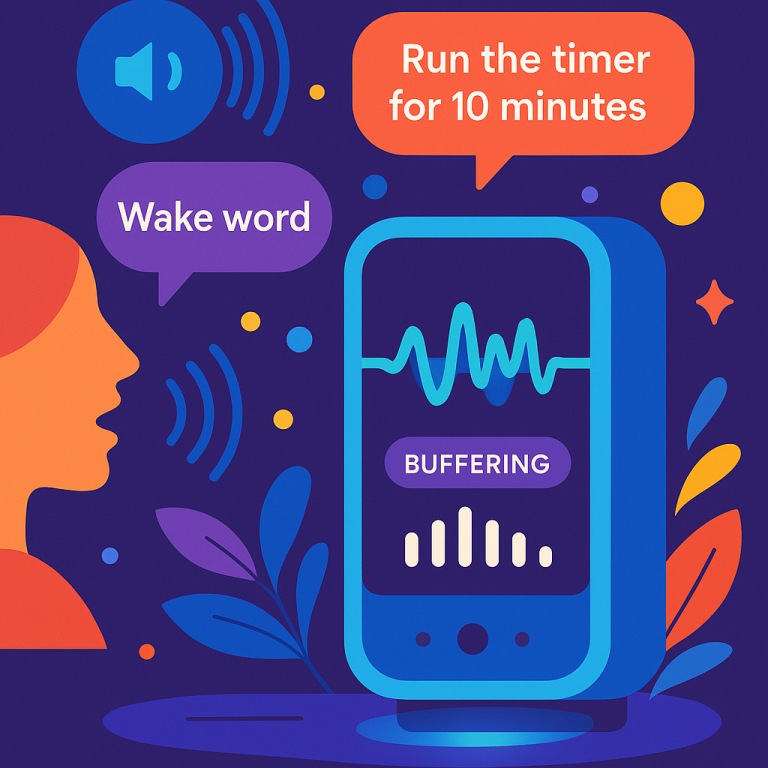
3. Switching to Active Mode and Buffering Audio
Once you give your permission, the device switches to “active” mode. Now, it starts recording the sounds it hears and puts them into a special memory area called a buffer. This buffer saves what you say, but only while you are talking to the device. Importantly, the device doesn’t care if you say the signature word or not. It records what you say and then looks for the signature word anywhere in your speech—not just at the start.
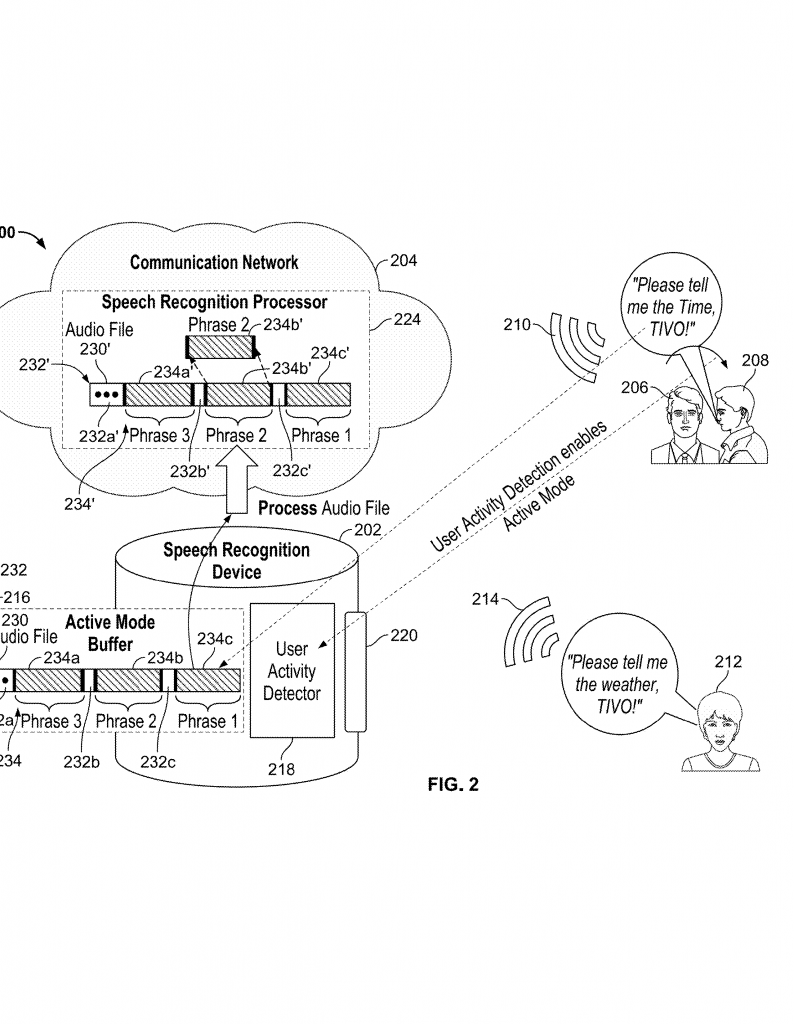
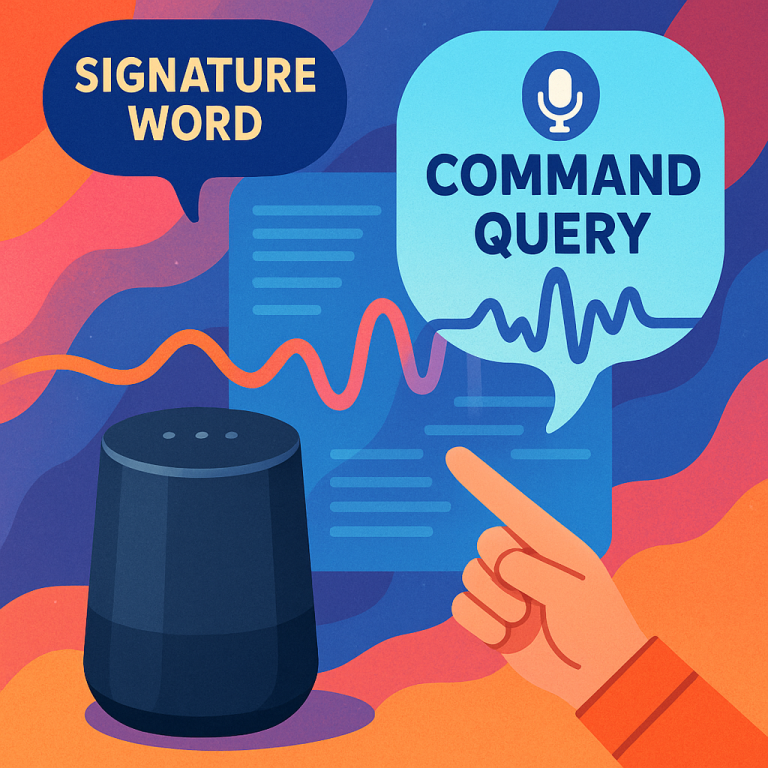
This solves the problem of having to say, “Alexa, turn on the lights.” You can say, “Turn on the lights, Alexa,” or even put the name in the middle. The device is smart enough to find the signature word wherever it appears and figure out what you want.
4. Detecting Commands and Queries
After recording your speech in the buffer, the device looks for a command or a question. It uses different methods to find the parts of your speech that matter. Sometimes, it looks for silent gaps before and after your command. Other times, it uses advanced computer models—like Hidden Markov Models or Long Short-Term Memory networks—to understand where your command starts and ends. These models have been trained with lots of examples, so they are good at telling the difference between a real command and just a regular conversation.
The device can also tell the difference between a command (“Turn off the TV”) and a comment (“The TV is loud”). It uses special software that knows what a command sounds like. This helps the device only respond when you truly mean to give an instruction.
5. Privacy and Security
To protect your privacy, the device keeps your voice data in a safe place. It can even encrypt (scramble) the data so that nobody else can listen without your permission. If the device doesn’t find a signature word in your speech, it can simply erase the recording. Only when it detects the signature word and knows you’ve given your consent does it process your command and maybe send it to the cloud for more complex actions.
6. Returning to Non-Active Mode
After your command has been processed, the device goes back to “non-active” mode. It stops recording and waits for another sign that you want to interact. This saves battery and keeps your private conversations private, as the device isn’t always listening in detail.
7. How It Works on Different Devices
The patent describes how this system can work on all kinds of devices—not just smart speakers. It could be built into your phone, your TV, your computer, or even a remote control. The key is that every device must have a way to show you the privacy terms and get your consent before recording your speech.
8. Technical Details
Behind the scenes, the device uses special hardware and software. There’s memory to store the privacy terms and your audio. There’s a processor that runs the speech recognition and decides when to listen or stop. The input/output parts make sure you can see the privacy message and give your consent. The system is designed to be flexible, so it can work both locally (on the device) or by sending data to the cloud, depending on what’s needed.
9. Smarter Speech Detection
The system can use smart models that have learned how people talk. These models can spot the start and end of your command, even if you pause or change your mind. They can also look at the loudness of your voice to find the gaps between your commands and regular talking. This makes the device much better at understanding what you really want.
10. Adapting to New Privacy Laws
The system is designed to follow new privacy laws. It always asks for your consent before recording anything. It can show you the rules wherever you interact with it, and it gives you the choice to say no. This helps the companies making these devices avoid legal trouble and keeps users in control of their data.
11. Modular and Scalable
The invention can work on many types of networks and devices. Whether you’re using a phone, a smart TV, or something else, the basic ideas stay the same. Devices can be upgraded or connected to new services easily, as the system is modular and can be updated for new privacy needs or speech models.
Conclusion
This patent application points to a new way for devices to listen and respond to our voices. It puts user privacy first by asking for consent before recording, and it makes talking to your device feel more natural by letting you speak commands in any order. The device is smart enough to find your command, no matter where the signature word appears, and it can tell the difference between a real command and just a comment. It is built to work with new privacy rules and can be used in many different devices.
For anyone building speech recognition devices, this invention offers a blueprint for making products that are easier to use and safer for people’s privacy. For users, it means you can trust your device to respect your privacy and understand you better, without having to change the way you talk. As speech recognition becomes even more common, these innovations will help make our interactions with technology more human and secure.
Click here https://ppubs.uspto.gov/pubwebapp/ and search 20250363986.