Smart Glasses Display Powers Up Instantly When You Look—Boosting Efficiency for AR/VR Devices
Invented by Born; Brandon
In this article, we will explore a new patent application that describes a clever way to make electronic displays for devices like smart glasses and virtual reality headsets. The invention uses a special waveguide and diffractive grating structures to show images and signals to the user in a more efficient and user-friendly way. We will break down the background and market context, look at the science and previous inventions, and explain what makes this patent novel. Let’s get started.
Background and Market Context
Today, electronic devices with displays near the user’s eyes are everywhere. Think about virtual reality (VR) headsets and augmented reality (AR) glasses. These devices want to show you computer images close to your eyes, sometimes mixed with what you see around you in real life. The technology must be small, comfortable, and use as little power as possible, but also look clear and sharp.
People want devices that feel like regular glasses, not heavy or clunky. The more comfortable and natural these devices are, the more likely people will wear them all day. But to get there, engineers have to solve tricky problems. They need to fit all the parts—like projectors, sensors, batteries, and lenses—into a small frame. Plus, the device must show bright, clear images while letting you see the real world, and it should last long on a single charge.
Another challenge is how to control these devices. Using buttons or touchpads can be hard, especially when you’re moving or your hands are busy. So, companies are exploring ways to use your eyes as a controller. If the device knows where you are looking, it can change what it shows you, or even turn itself on or off to save power.
All these needs have pushed inventors to look for new ways to deliver images and signals to your eyes in a smaller, smarter, and more energy-efficient way. That’s where the technology in this patent comes in. It describes a system that makes use of a waveguide—a thin piece of glass or plastic that guides light—and special grating structures that can direct light exactly where it is needed. This promises lighter, more power-saving, and more user-friendly devices.
Scientific Rationale and Prior Art
To understand what’s special about the invention, let’s first look at how these display systems usually work and what problems they face.
Traditional near-eye displays use small screens or projectors to create images. These images are then bounced and focused by lenses to your eyes. Sometimes, they use a waveguide—a clear plate that carries light from the projector to where your eye is. The waveguide can be very thin and light, and it lets the real world light pass through, which is great for AR glasses.
To get the image from the projector into the waveguide, and then out toward your eye, engineers use special structures called diffractive gratings. Think of these as microscopic patterns that can bend and direct light. There are two main types: surface relief gratings (tiny grooves on the surface), and volume holograms (patterns inside a special recording material).
Previous inventions have used these gratings to show images, but they often have limitations. For example, the light for the image may spill over into the edges of your field of view, which wastes power and can look strange. Or, the gratings might not handle different types of light very well, which can make it hard to add features like eye tracking or visual signals.
Another problem is power. Projectors that make images use a lot of battery. If the device is always on, it runs out of charge quickly. Some headsets use sensors to turn the display on or off, but this can be slow or unreliable. Also, these systems often need extra hardware, which adds bulk and weight.
In the world of prior art, some devices have tried to solve these problems. For example, some systems use different waveguides for image light and for signals or sensor light. Others use simple LEDs to show a signal in your field of view. But these solutions often take up more space or block your view, making the device less comfortable and less natural to wear.
What the inventors in this patent have done is to design a waveguide and diffractive grating system that can send image light to just the center of your view, and a separate, simpler light signal to the edge of your view. This makes the display more efficient, more comfortable, and easier to control with your eyes. Their approach also brings in features like gaze-to-wake: the device can turn itself on when you look at a specific spot in your peripheral vision, using a very low-power light source. This is a smart improvement over previous devices.
Invention Description and Key Innovations
Now, let’s break down how the invention works and what makes it stand out.
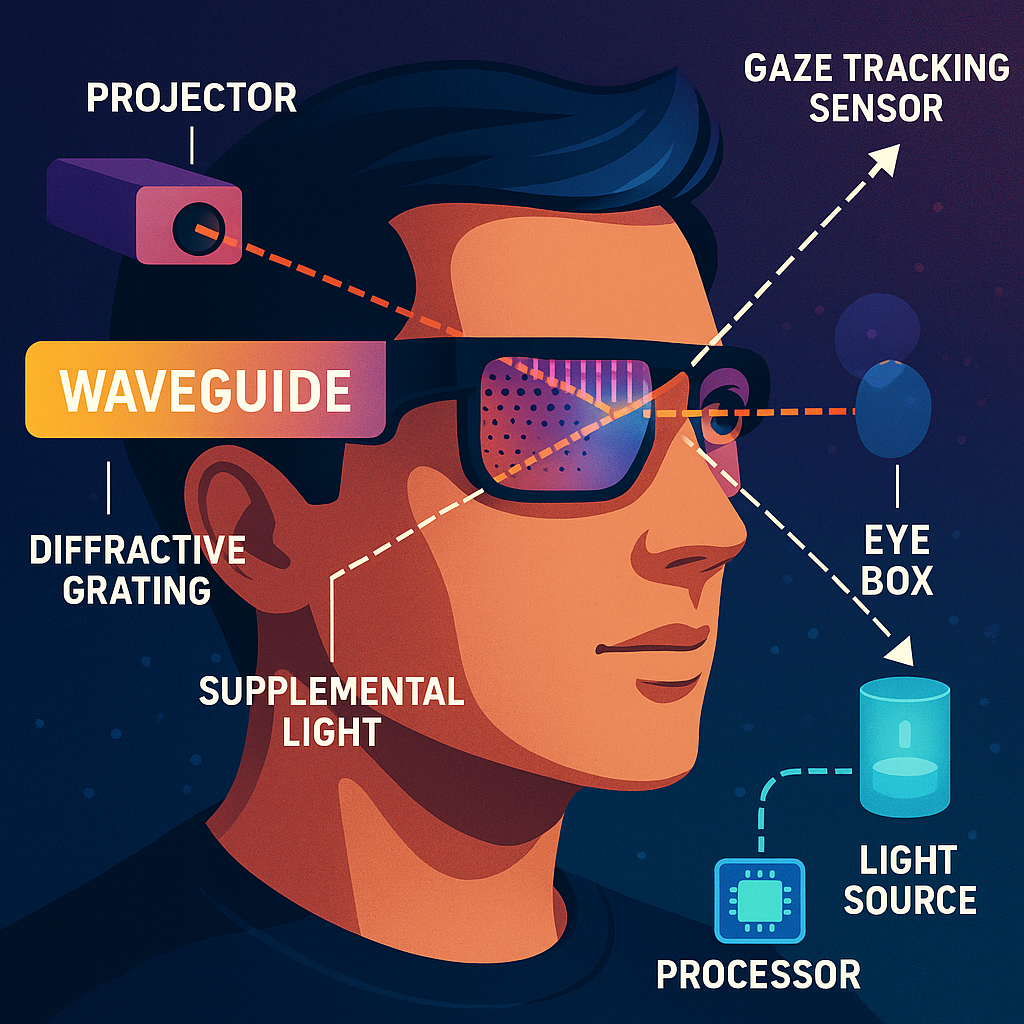
At the heart of the system is a waveguide—a thin, clear plate—built into a device like a headset or smart glasses. This waveguide is special because it has one or more diffractive grating structures built onto or into it. These gratings are like tiny, carefully designed patterns that can bend and steer light in precise ways.
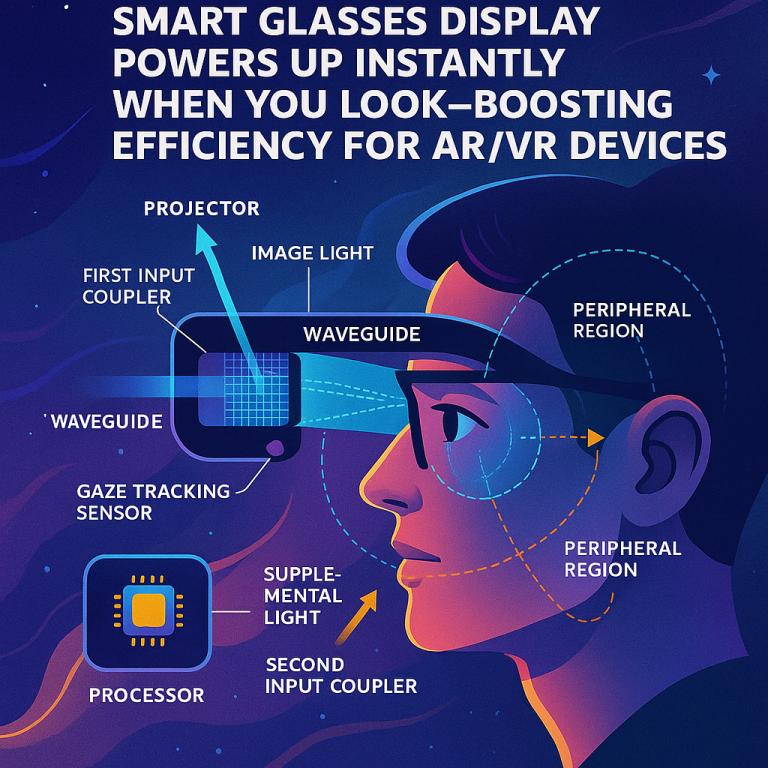
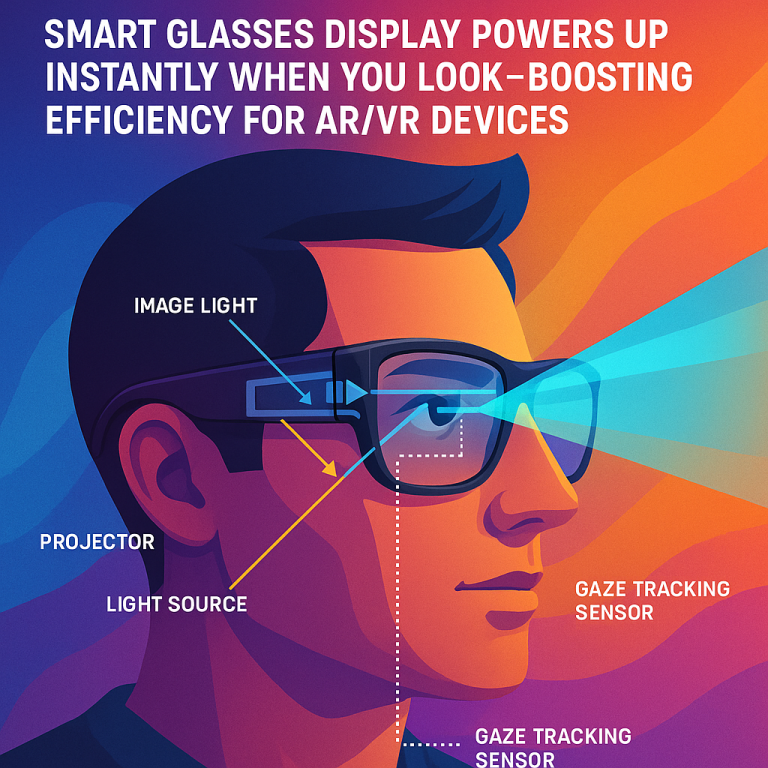
The device uses two sources of light: a projector and a simple light source. The projector makes “first light,” which contains the images you want to see—like virtual objects, text, or videos. The simple light source (which could be a laser or an LED) makes “second light,” which is just a visible spot or icon, not an image. The second light uses very little power and doesn’t need to show complex pictures—it’s just there to give the user a signal, like an indicator or a wake-up spot.
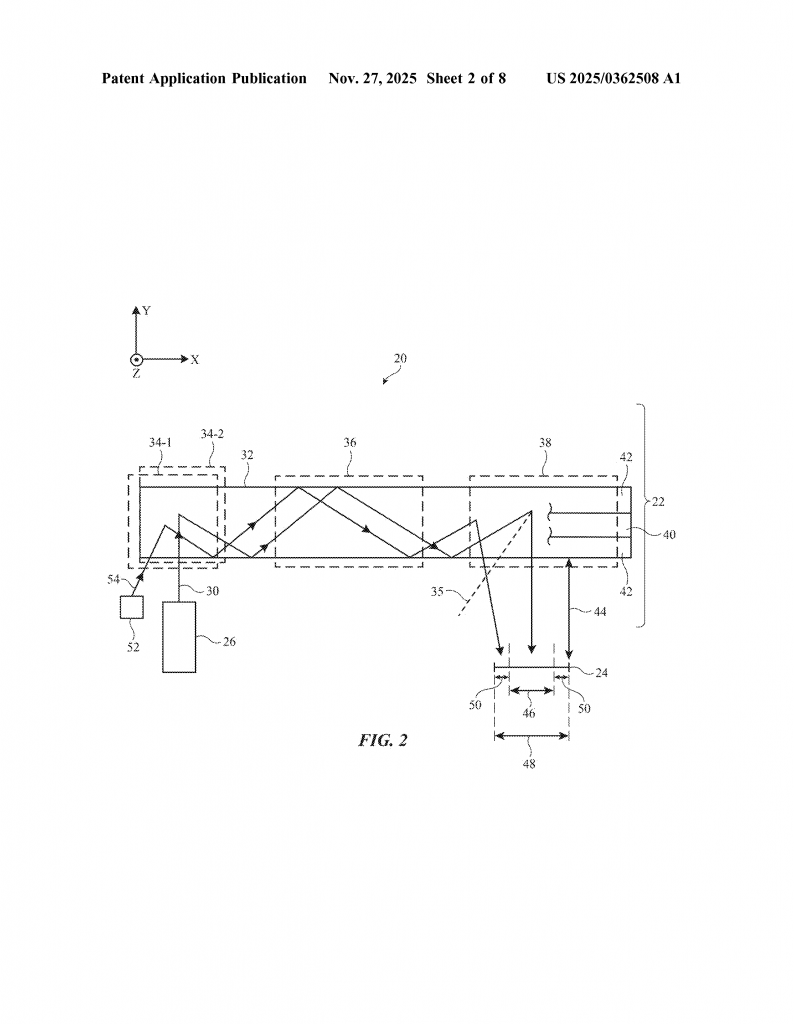
Here is where the magic happens: these two light sources are coupled into the same waveguide, but through different entry points (input couplers). One coupler puts the image light into the waveguide, the other puts the signal light in. Inside the waveguide, the diffractive gratings are designed so that the image light is sent out only in the central part of your field of view—the area you focus on. Meanwhile, the signal light is sent out only at the edge of your vision, in a small, well-defined spot that’s easy to notice if you glance at it, but doesn’t get in the way of what you’re looking at.
This setup has a few big advantages. First, by keeping the image light focused in the center, it saves power and makes the images clearer. There’s no wasted light shining where you won’t see it. Second, the signal light in the periphery can be used for things like gaze-to-wake. If the device has an eye tracker (which uses invisible infrared light to follow your gaze), it can tell when you look at the signal spot. If you look at it for a set amount of time, the device knows to turn on the projector and start showing images, or turn it off to save power.
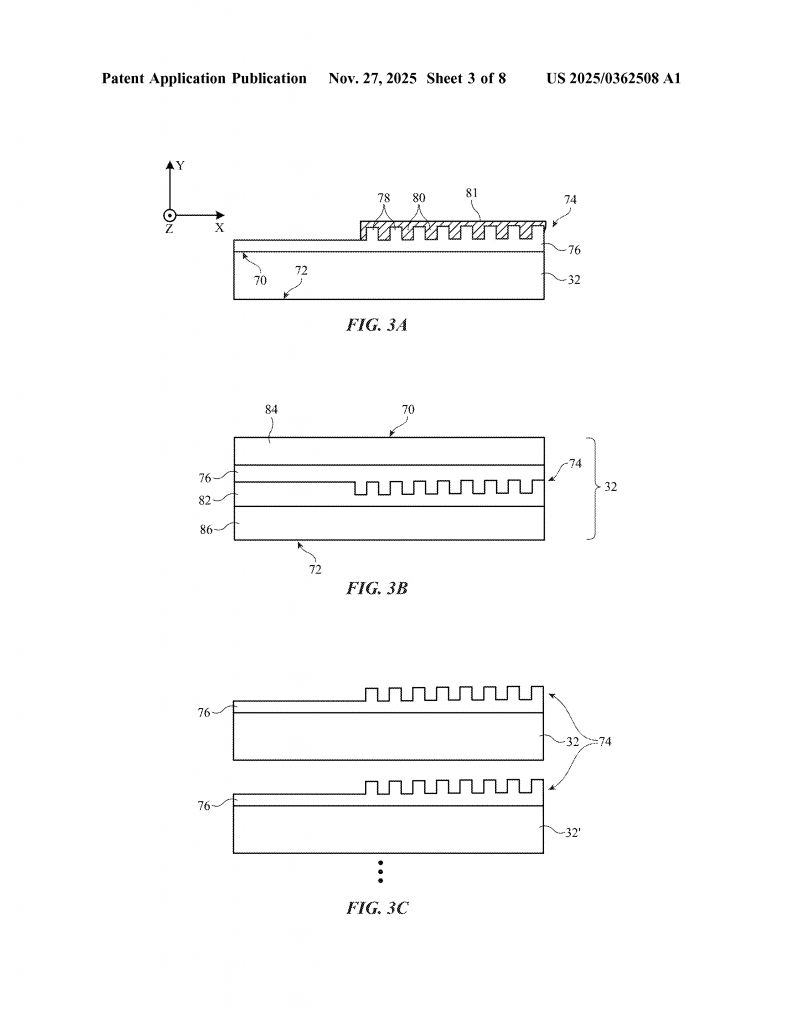
The patent describes several ways to build the diffractive gratings. They might use volume holograms, which are patterns inside a special recording layer, or surface relief gratings, which are grooves on the surface. These gratings can be arranged in different ways to couple the light in, steer it around inside the waveguide, and then send it out at exactly the right angles. Some designs use extra gratings to guide the light more efficiently, or interleaved gratings to handle both image and signal light in a compact way.
The system can also include a gaze tracking sensor and a processor. The sensor uses infrared light to see where you’re looking. The processor checks if your gaze is overlapping the signal spot for a long enough time and then wakes the projector or puts it to sleep. This makes the system hands-free and very intuitive. You just glance at the spot in your periphery when you want to interact with the device, and it responds.
Overall, this invention cleverly combines several technologies to make a display that is lighter, more power-efficient, and easier to use. It cuts down on extra hardware, keeps the device slim, and gives users a simple, natural way to control it with their eyes. By managing where and how the light comes out of the waveguide, it creates a better experience for users of AR, VR, and smart glasses.
Conclusion
This patent application reveals a new way to design displays for head-mounted devices using waveguides and specialized diffractive gratings. By separating image light and simple signal light, and directing them to different regions of the user’s field of view, the system becomes more power-efficient, comfortable, and user-friendly. It makes it possible to control the device just by looking at a spot in your periphery, saving battery and making the device easier to wear all day. This approach stands out from previous inventions by delivering both technical and user experience improvements, and it could open the door to the next generation of smart glasses and AR/VR displays. If you are designing wearable displays or interested in optical innovations, this technology is one to watch.
Click here https://ppubs.uspto.gov/pubwebapp/ and search 20250362508.